AI Big Braces Filter
One selfie → a fake braces prank photo with a grin wider than your face.
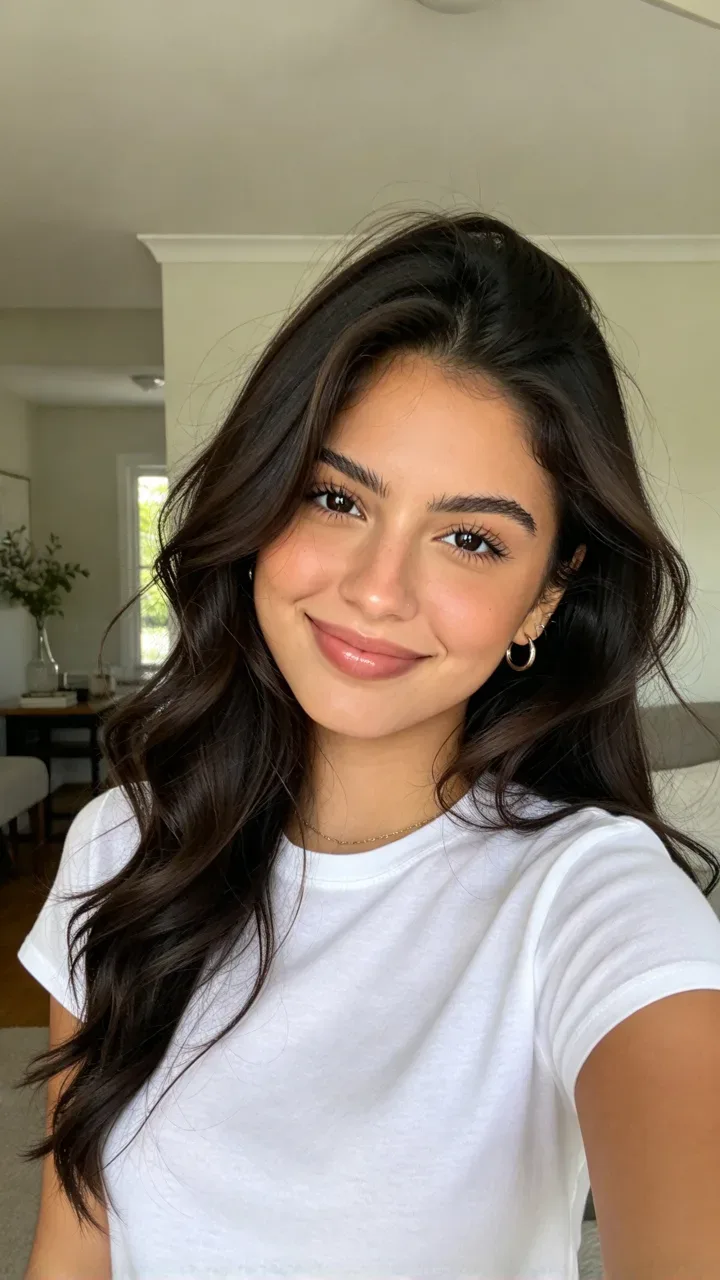
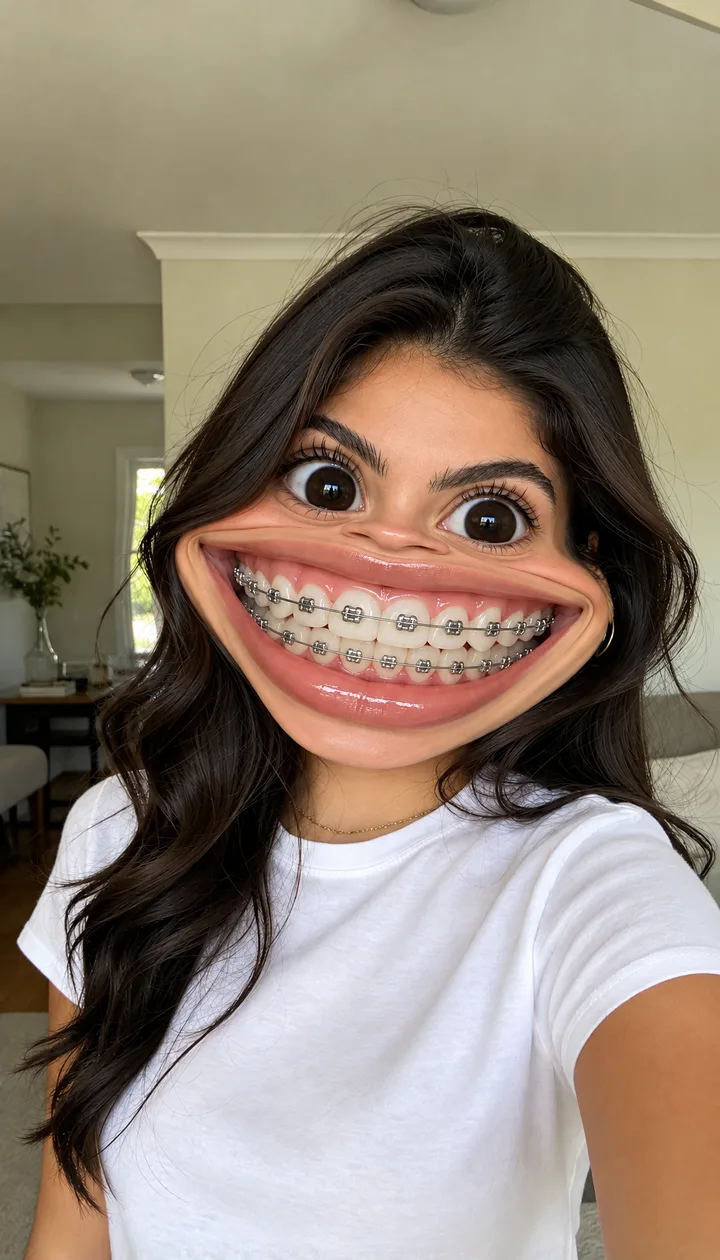
Your selfie · big braces
The same selfie with your face warped like a funhouse mirror: a grin wider than your face, oversized teeth and silver braces. Hair, clothes and background stay as they are.
One photo, usually in under a minute. Failed photos are refunded.
The AI big braces filter turns one selfie into a prank photo: your face warped like a funhouse mirror, a grin wider than your face, oversized teeth with silver braces and big round eyes, while your hair, clothes and background stay exactly as they were. It comes from Indonesian TikTok, where it is called “filter behel gigi besar” and took off in mid-November 2026. On ReelMuse each Create is one photo in under a minute (15 credits).
AI big braces filter examples
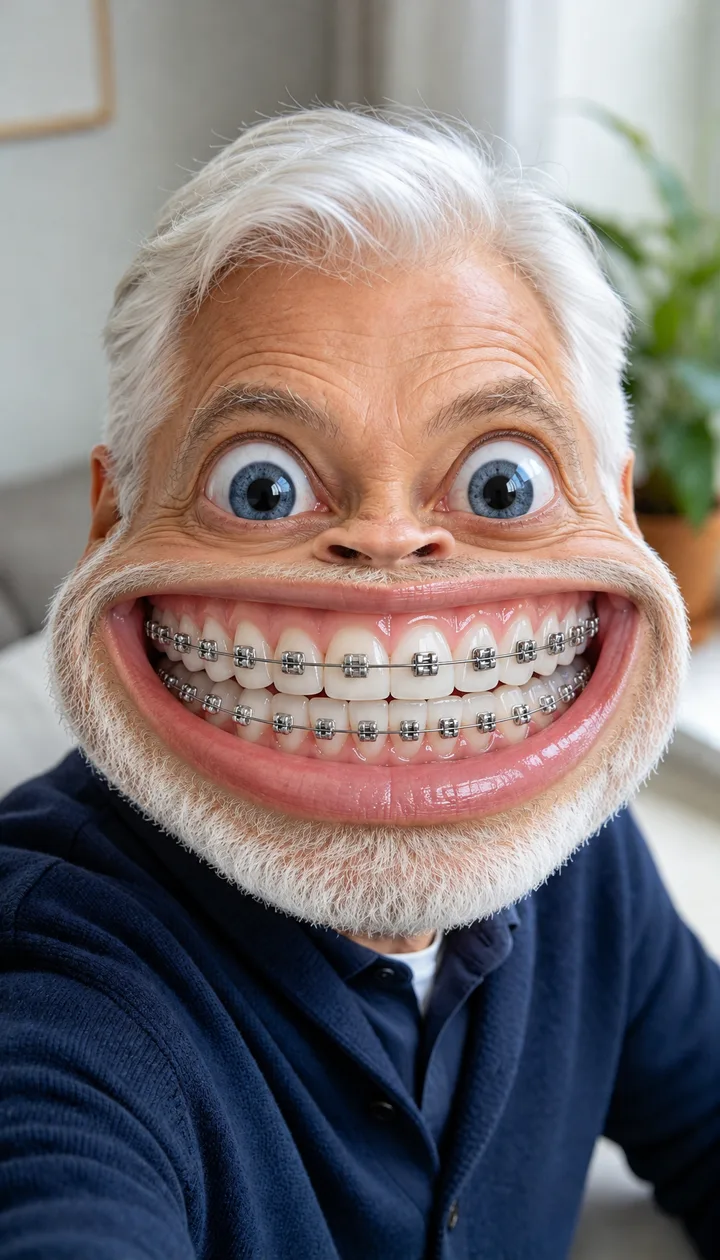
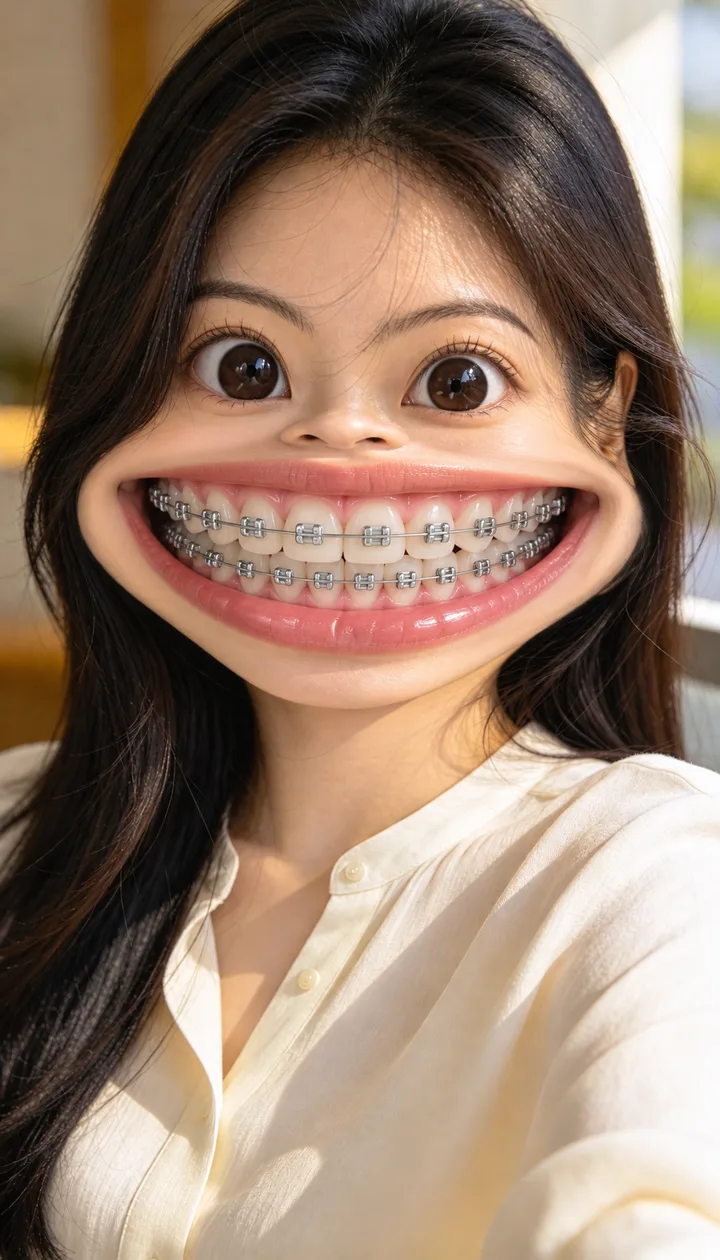
Each card is one prank photo made from the small before selfie in its corner, with the same prompt the create box uses. Everyone here is a fictional adult.
beforeSelfie at home
 before
Long black hair
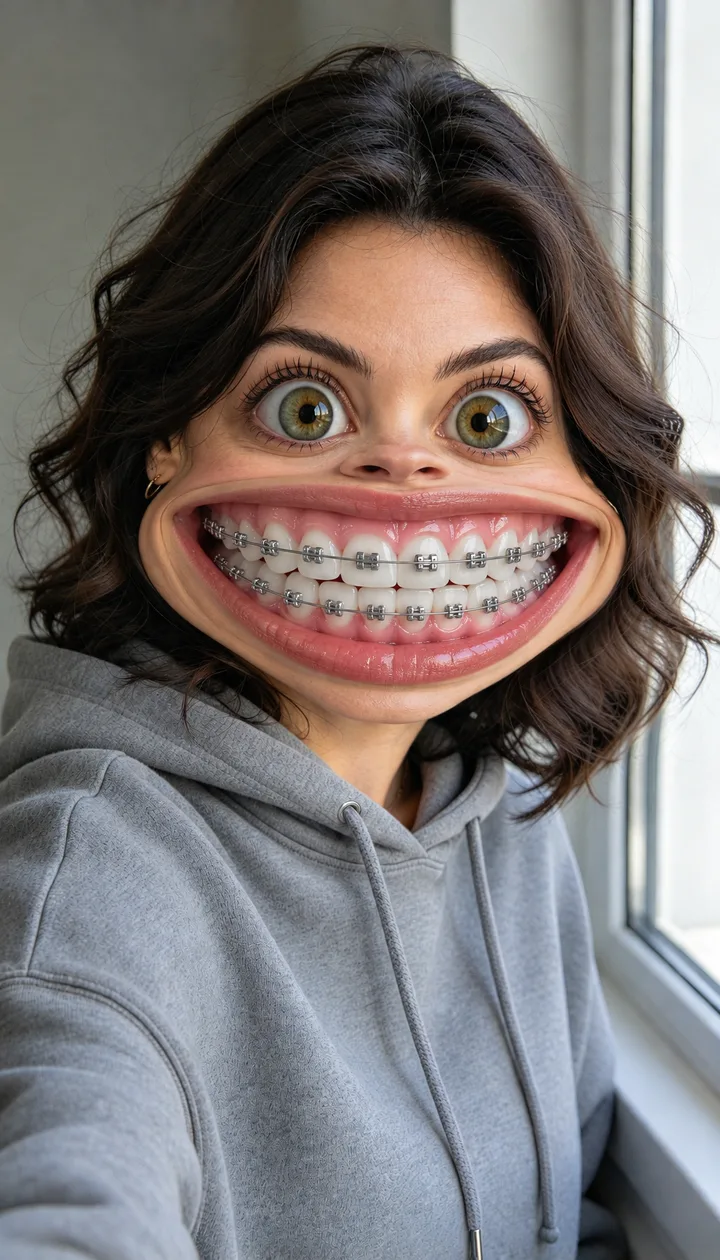
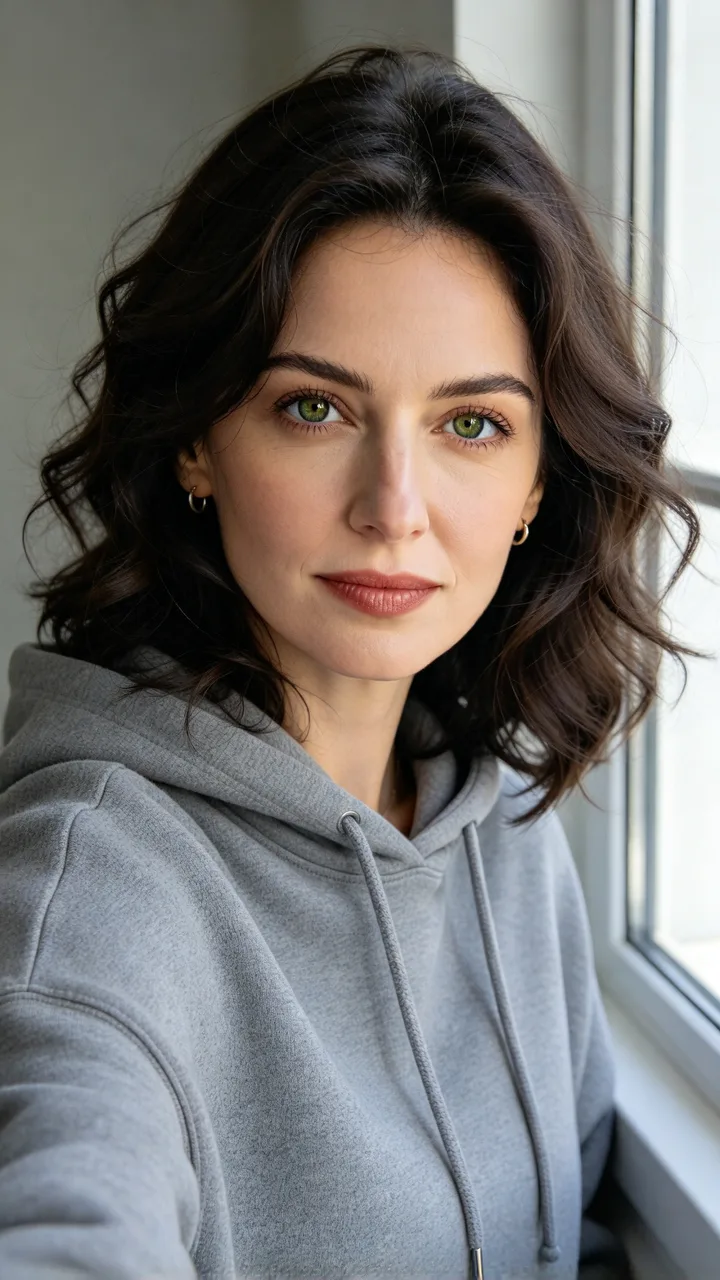 before
By the window
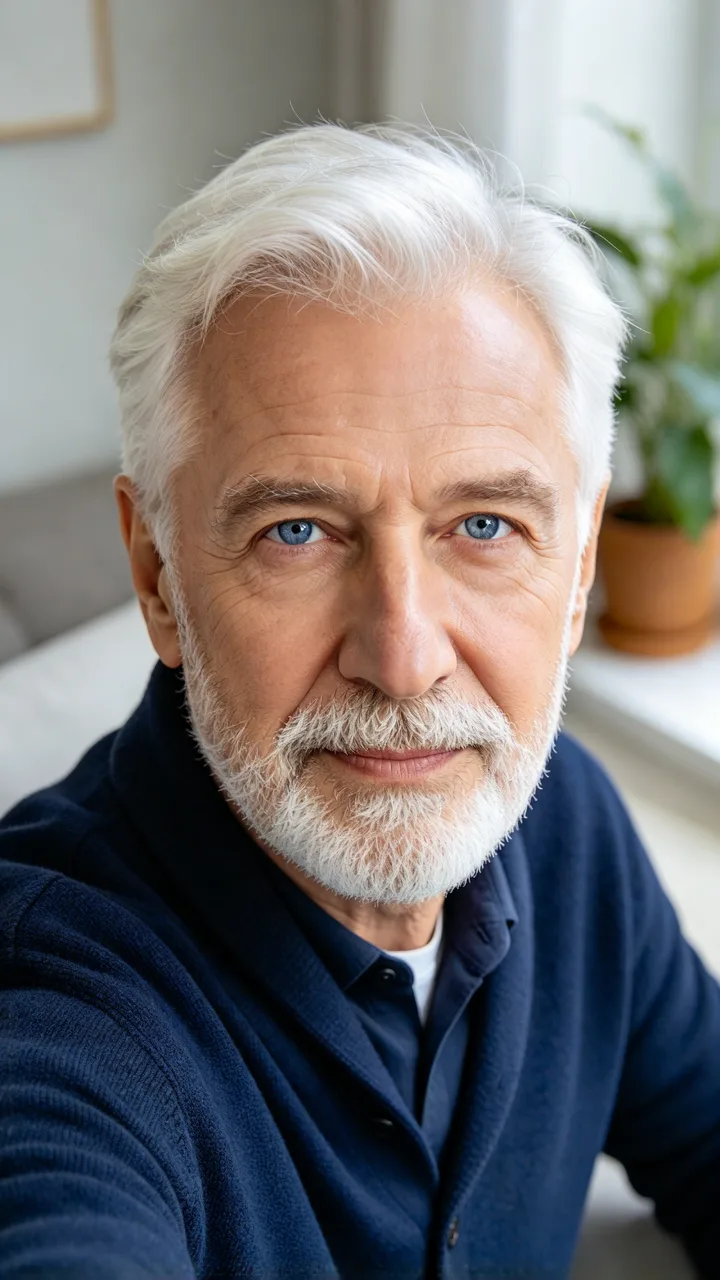 before
Grandpa
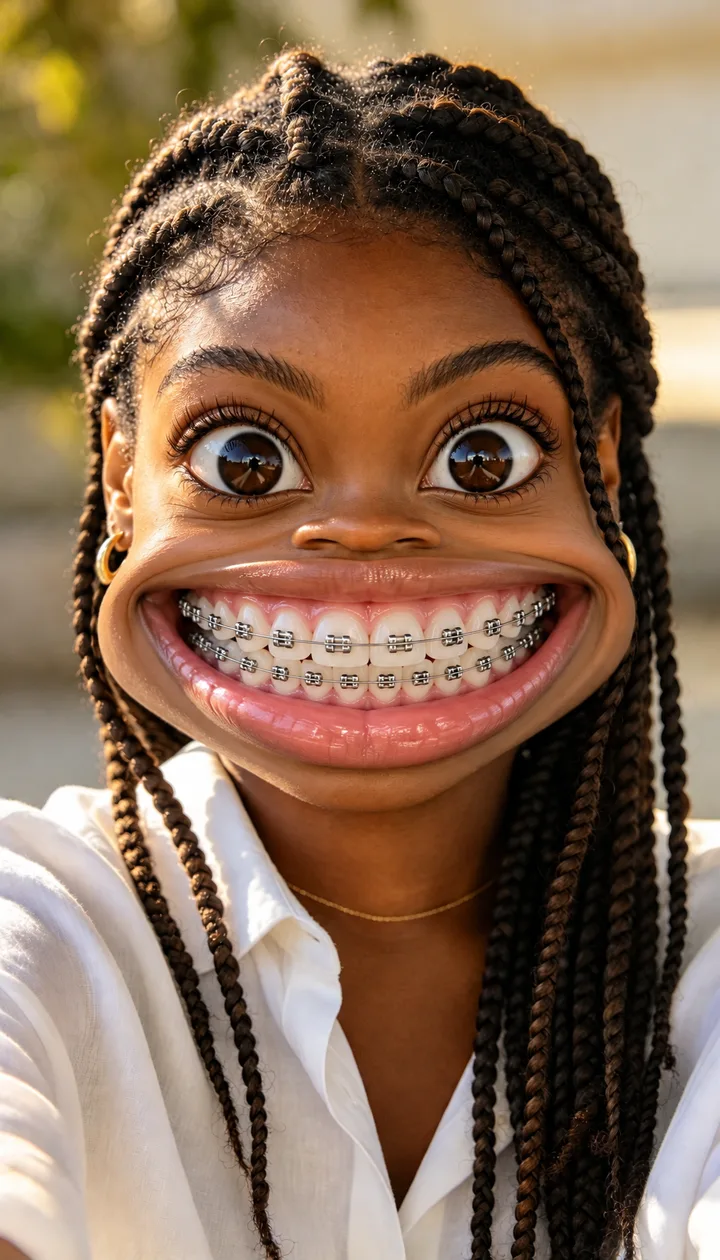
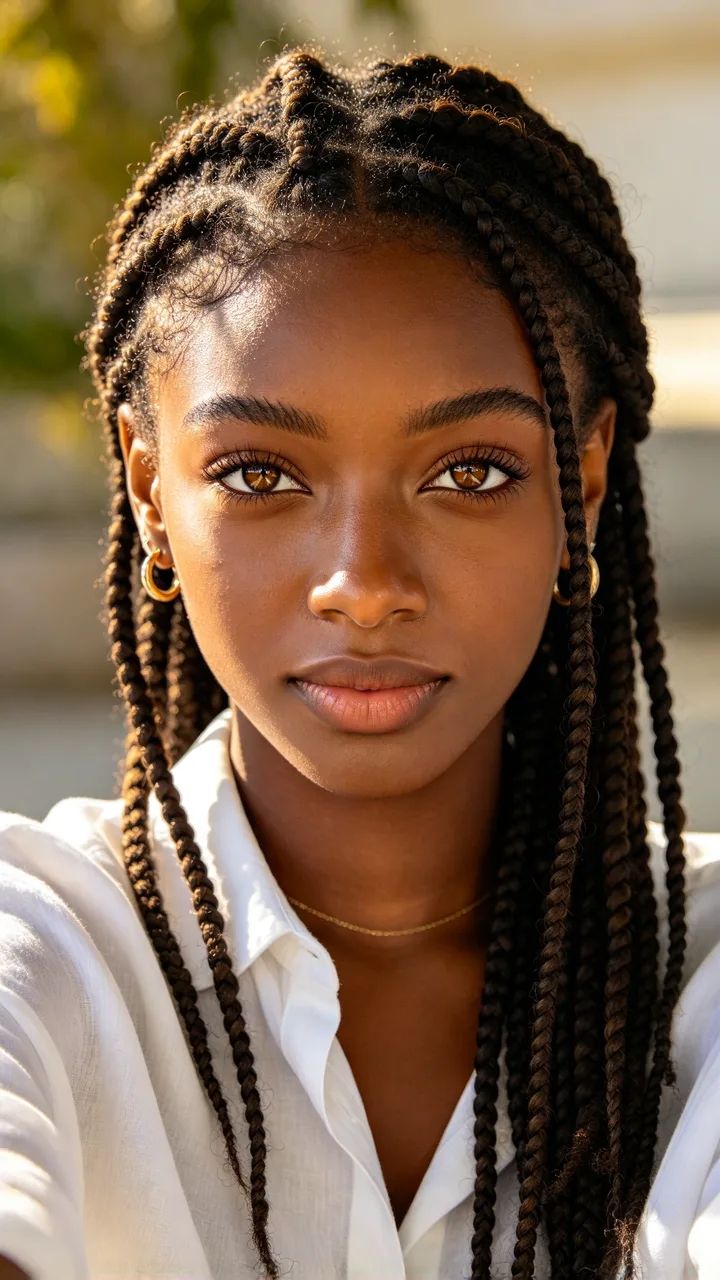 before
Box braids
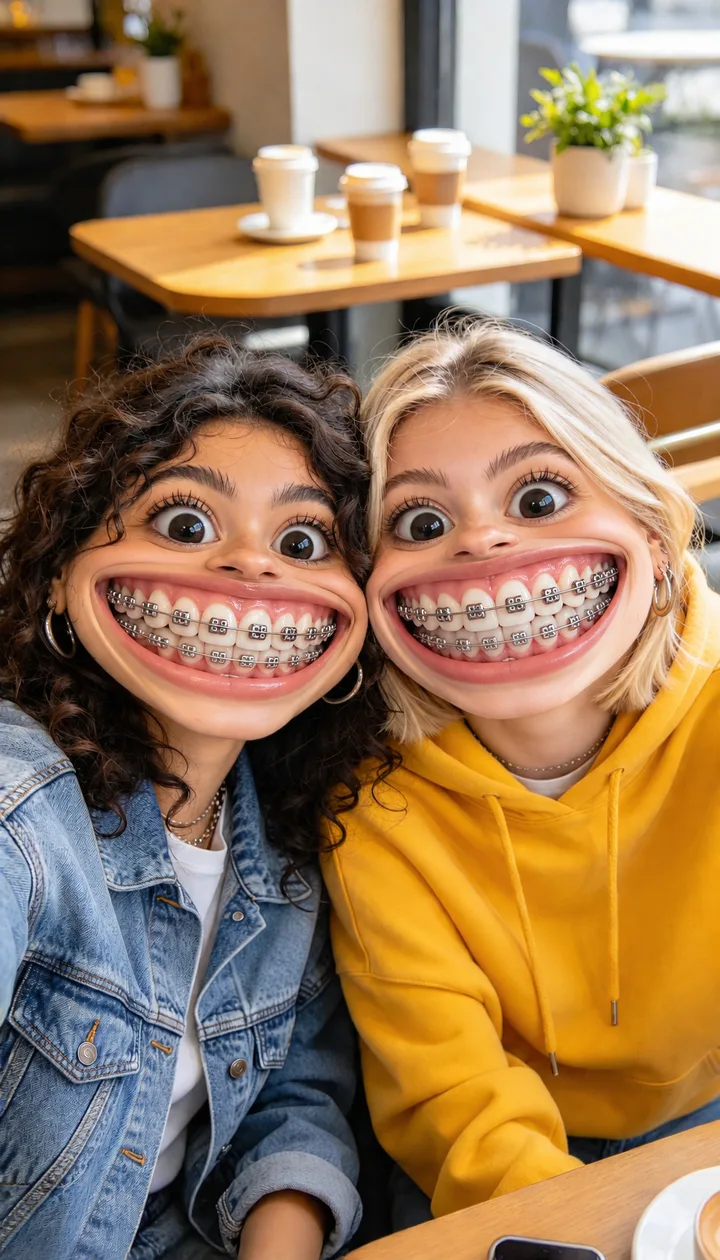
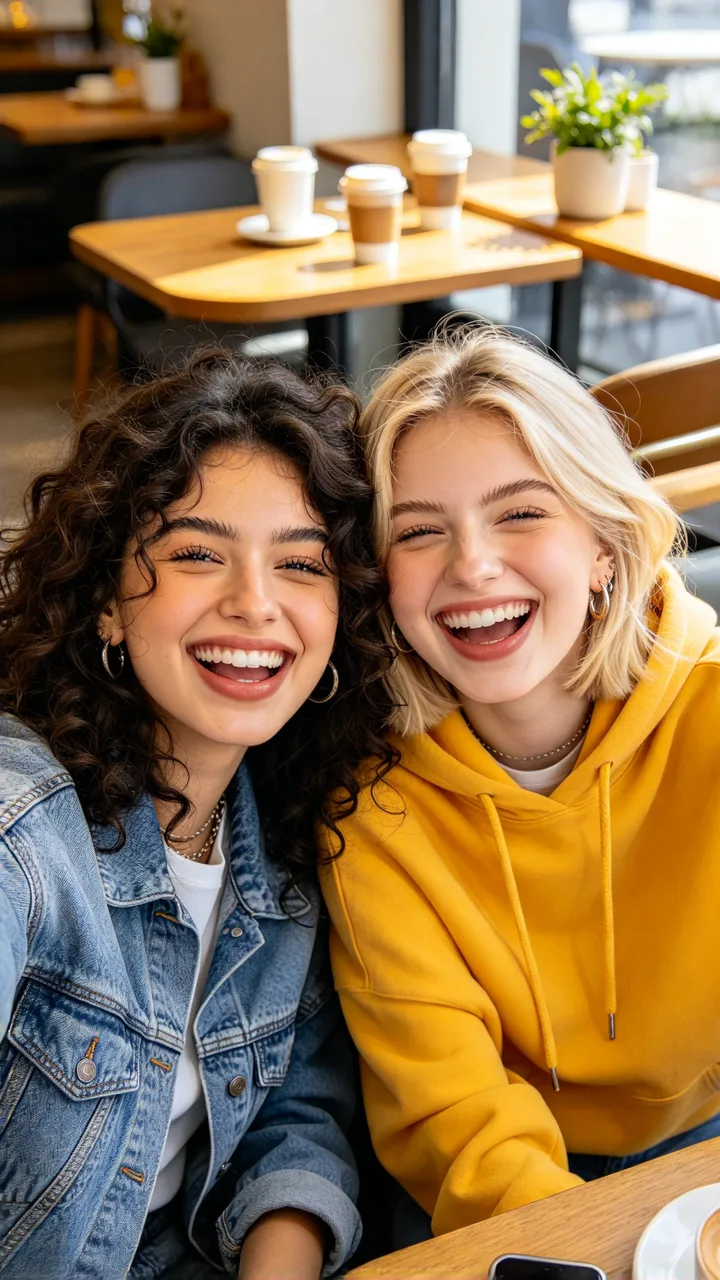 before
Two friends
What is “filter behel gigi besar”?
It is Indonesian for a big-teeth braces filter. In the posts, an ordinary selfie comes back with the lower half of the face stretched sideways, two rows of huge teeth in metal braces and eyes twice their size, and people send it to friends as if it were a real photo. The posts are AI editing tutorials made with a photo template app; two of them are by @sherryli025 and @qiqi55676.
Looking for the realistic version, to see yourself with braces before the orthodontist? That is the AI braces filter. This page only makes the exaggerated prank.
The big braces filter in numbers
- TikTok posts this week vs last week
- 56 vs 0
- TikTok posts this week vs last week
- plays in the last 7 days on the posts we follow
- ~1.2M
- plays in the last 7 days on the posts we follow
- when the posts appeared
- Nov 12, 2026
- when the posts appeared
This week TikTok has about 56 new big braces filter posts vs 0 the week before, with about 1.2M plays in the last 7 days on the posts we follow. The first posts appeared on November 12, 2026.
The top tutorial is at about 245K views. Almost all of the posts are in Indonesian.
TikTok numbers from public posts, as of November 20, 2026.
How the AI big braces filter works
Keep the selfie as it is, hair, clothes, hands and background included, and warp only the face like a distorting mirror: the lower half bulges and stretches sideways until the grin is wider than the face, and the nose is squashed short.
The mouth shows two full rows of oversized white teeth with plain silver brackets and a steel wire, and the eyes are blown up to about twice their size, round and set wide apart. Because everything else stays real, it reads as a selfie gone wrong.
What commenters say
Under the top tutorial the most common complaint is that the template asks for payment, and a few say the prank worked. Quoted exactly:
“Berbayar anjirrr”
@sherryli025 video · 9 likes · “Wait, you have to pay”
“kok aku berbayar ya kak plis jawab dong?”
@sherryli025 video · 2 likes · “Why is mine paid? Please answer”
“aku udh bikin tapi enggak menjadi😭😭😭😭😭😭😭”
@sherryli025 video · 1 like · “I made it but it did not come out”
“Temen”ku pada ketipu😂🤣🤣”
@sherryli025 video · 1 like · “My friends all fell for it”
On ReelMuse the price is on the button before you create: 15 credits per photo, and a failed photo is refunded.
How to make a big braces prank photo
- Upload one selfie. Face the camera with your whole face in the picture. A photo of two friends works too.
- Create. Press Create (15 credits). In under a minute you get the same selfie with a huge grin, oversized teeth and silver braces.
- Send it to a friend. Download the photo and send it without a word. Hair, clothes and background are untouched, so it reads as a real selfie gone wrong.
FAQ
What is the AI big braces filter?
A prank photo trend from Indonesian TikTok in November 2026, known there as “filter behel gigi besar” (big-teeth braces filter). One selfie comes back with the face warped like a funhouse mirror: a grin wider than the face, oversized teeth with silver braces and big round eyes, while the hair, clothes and background stay a normal photo.
What does “filter behel gigi besar” mean?
It is Indonesian: “behel” is braces and “gigi besar” is big teeth. The tutorials also call it “efek kawat gigi” or “mulut besar” (big mouth). It is the same look this page makes.
Is this the same as a braces try-on?
No. This page is the exaggerated prank version. If you want to see what you would really look like with braces, use the realistic AI braces filter instead.
What photo works best?
A front-facing selfie with your whole face visible and decent light. Sunglasses or a hand over the mouth get in the way. If two people are in the photo, both get the big braces.
Do I need to download an app?
No. The tutorials use a photo template app; here you upload your selfie and create it in the browser.
Whose photos can I upload?
Your own, or an adult friend’s with their OK. It is a joke between friends: do not use it to mock someone who has not agreed to it. Photos that show children or teenagers are not accepted on this page.
Who are the people in the examples?
Fictional adults made for this page. None of them is a real person.
How much does it cost?
15 credits per photo. The price is on the button before you create, and if a photo fails its credits go back to your account automatically.
Related