Sorry I lied AI trend
Sorry I Lied AI Trend
One photo, one line: you don't wear the costume, you become it.
The sorry I lied AI trend is a Halloween 2026 TikTok meme: you post a photo with the caption "I'm sorry I lied, I didn't have the ___ costume", and the picture shows you didn't wear the costume, you literally turned into it, like green skin for a green princess dress. ReelMuse makes that photo from one selfie and one line, in about a minute.
On TikTok this is the i'm sorry i lied halloween trend: the caption is the joke, and the photo is the proof.
Your photo and line
Ideas · tap to use
One still photo, usually under a minute. Upload only a photo you have the right to use. Failed photos are refunded.
Sorry I lied AI trend examples
Each card is one still made from a test face. The joke only lands when the face is still yours. Tap Use this to fill the prompt, or Copy prompt to take the line with you.
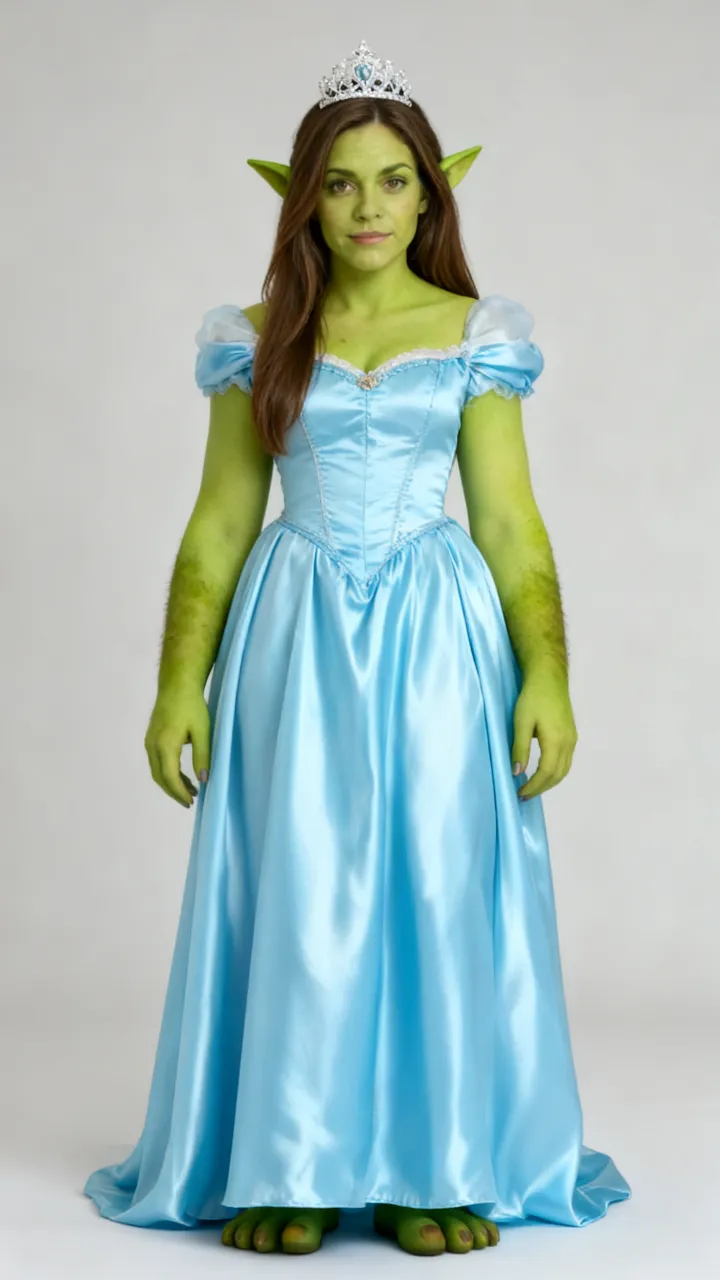
“I’m sorry I lied, I didn’t have the green princess dress”
Turn me into a green-skinned ogre princess: green skin on my face and arms, small green ogre ears, a light blue satin princess gown and a tiara.
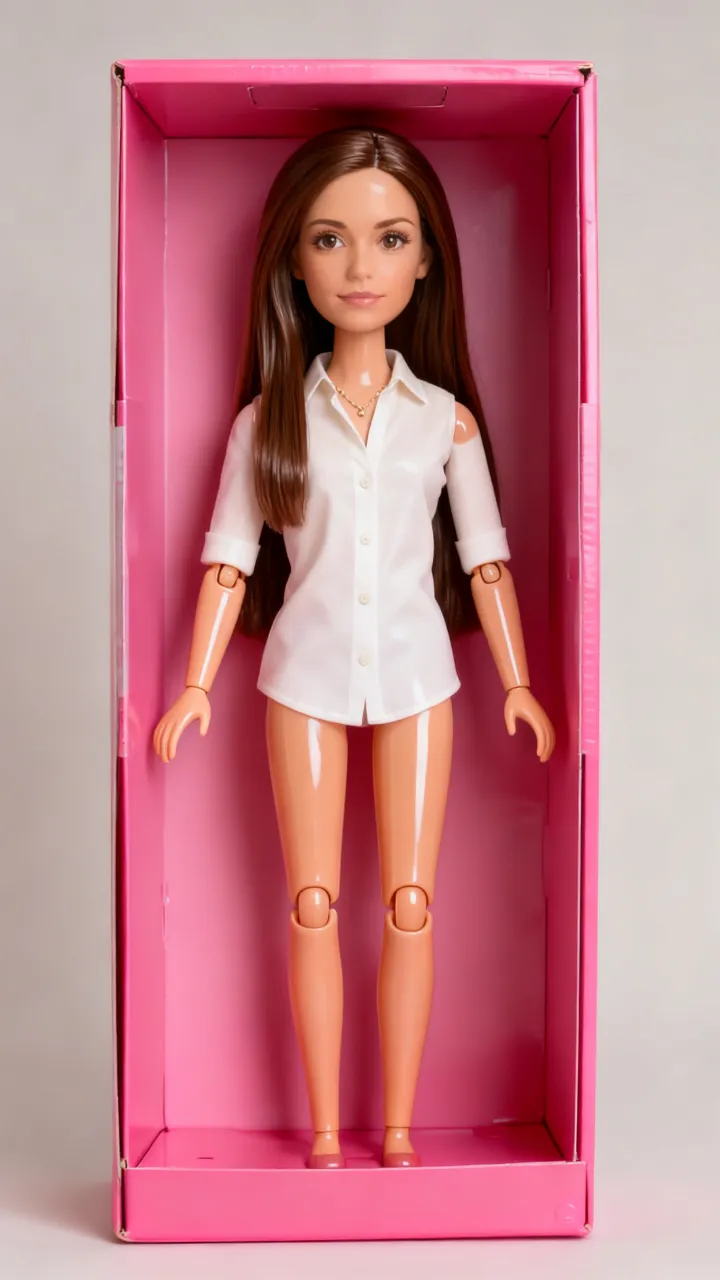
“I’m sorry I lied, I didn’t have the doll costume”
I have literally turned into a plastic fashion doll: glossy plastic skin, visible doll joints at the shoulders and knees, stiff doll pose, standing inside a giant pink toy box.
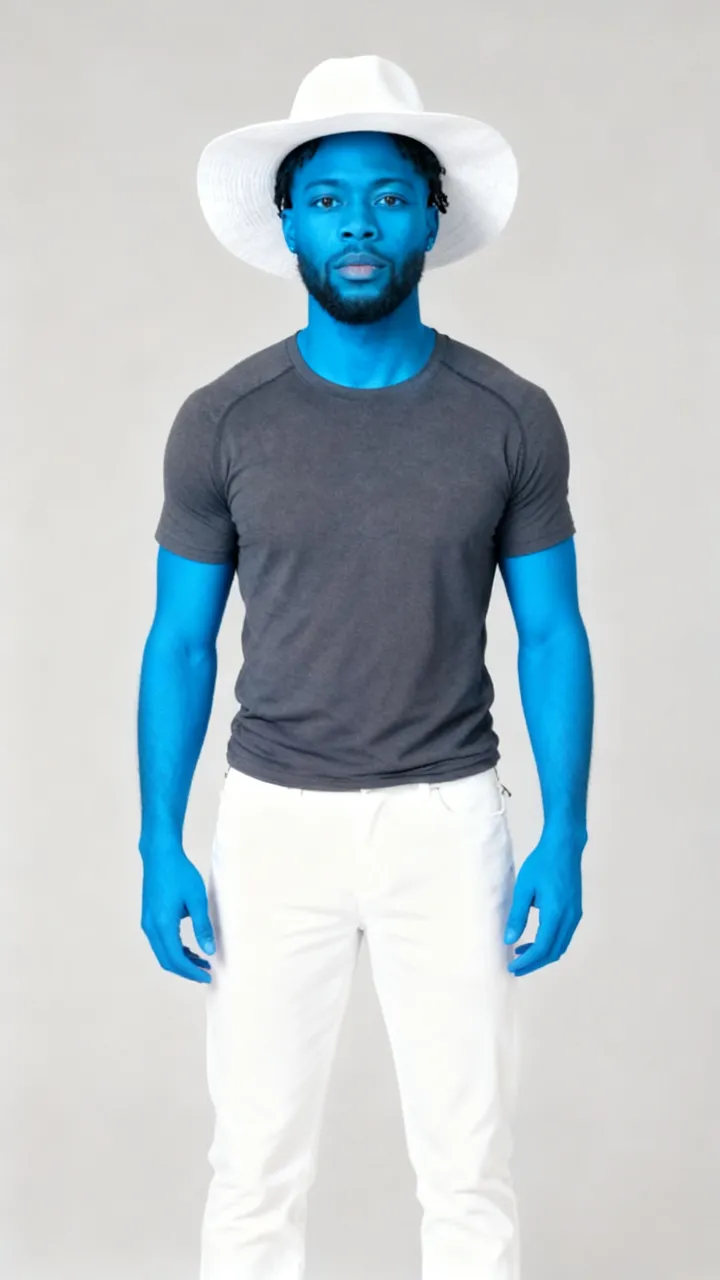
“I’m sorry I lied, I didn’t have the little blue gnome costume”
I have literally turned blue like a little blue cartoon gnome: bright blue skin all over, a white floppy hat and white pants.
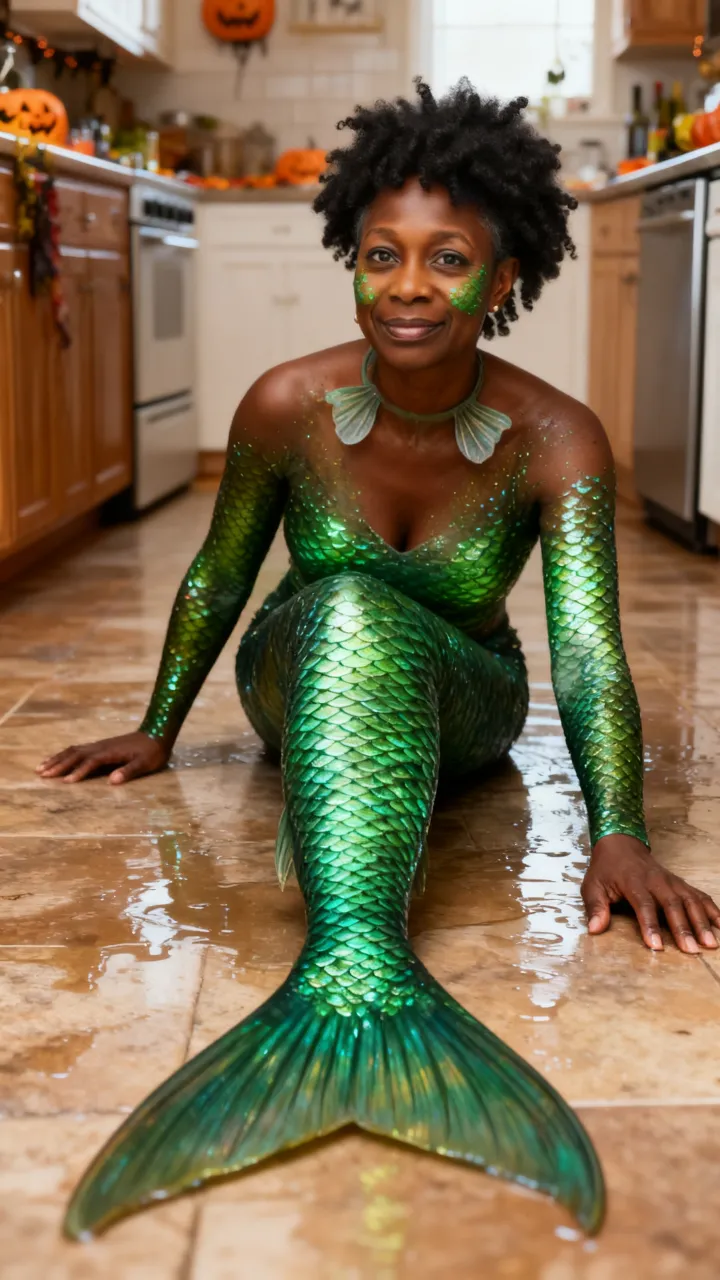
“I’m sorry I lied, I didn’t have the mermaid costume”
I have literally turned into a fish person: shiny green fish scales on my cheeks and arms, gills on my neck, a real fish tail instead of legs, flopping on a wet kitchen floor.
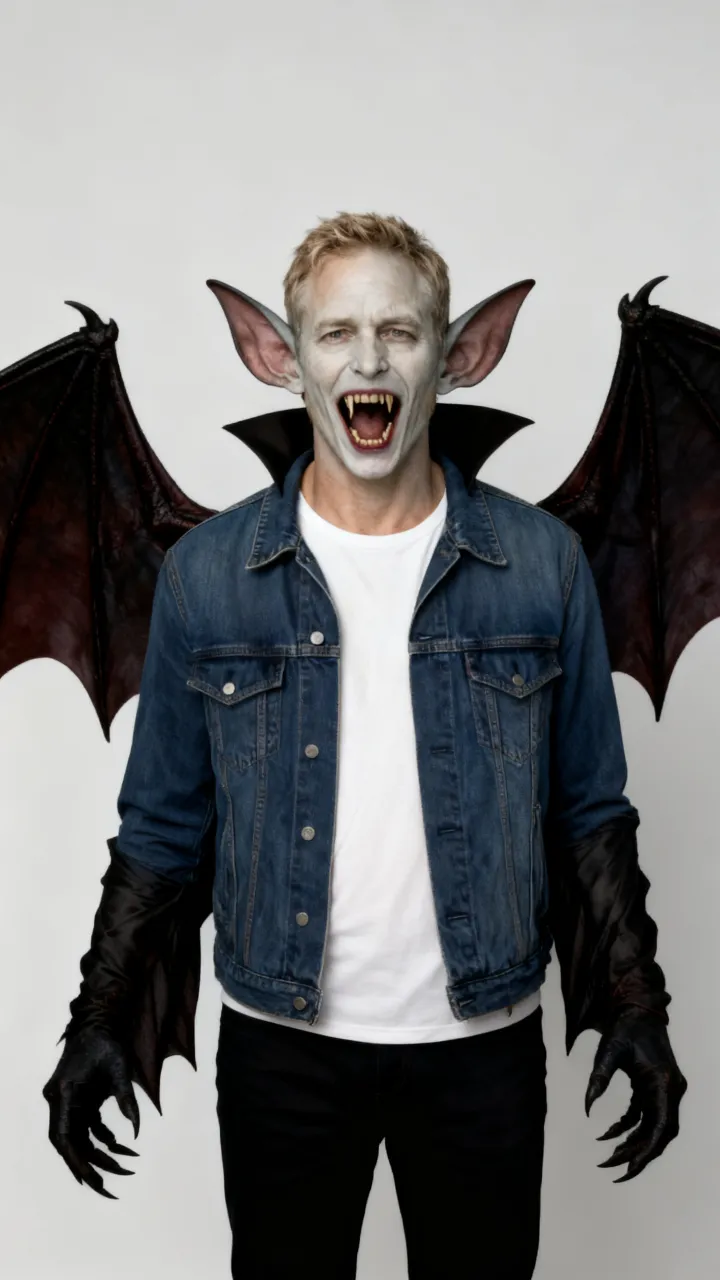
“I’m sorry I lied, I didn’t have the vampire costume”
I have literally turned into a ridiculous vampire bat: ghostly pale skin, comically huge fangs, big bat ears and leathery bat wings growing from my arms.
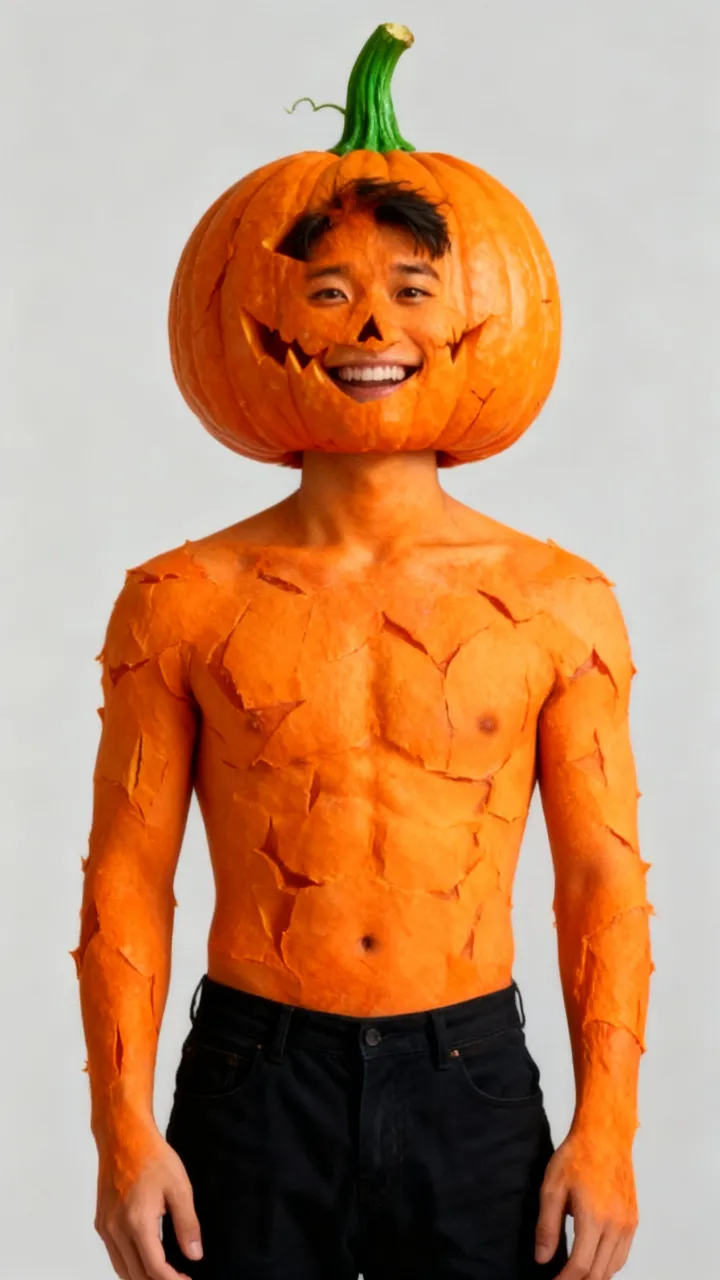
“I’m sorry I lied, I didn’t have the pumpkin costume”
My skin has literally turned bright orange with pumpkin ridges and a green pumpkin stem is growing from the top of my head, face fully visible and grinning.
What is the "I'm sorry I lied" Halloween trend?
The original posts took off around October 20, 2026. The i'm sorry i lied capcut template is a slideshow: one frame of the costume you told everyone you had, then the sorry i lied costume trend punchline, the ordinary thing you actually wore. The caption is always a version of "I'm sorry I lied, I didn't have the costume."
This page keeps the caption and changes the picture. A sorry I lied AI photo does not put you in a dress beside the real outfit. You become the thing you claimed you didn't have, and the face in the still is still recognizable. That is the whole sorry i lied prompt: name the transformation, and leave the person readable. That still is the sorry I lied AI trend this page is built for.
How to make a sorry I lied AI photo
You can make the i'm sorry i lied halloween trend here without building a slideshow. One selfie, one line, one still. These steps are how the sorry I lied AI trend is made on this page.
Step 1
Upload one clear photo
Use a selfie where your face is easy to see. Face the camera, with even light, and only a photo you have the right to use.
Step 2
Write or pick your line
Type what you turned into, or tap an idea under the box. Copy prompt on any example drops that line into the field.
Step 3
Create and download
Press Create (15 credits). You get one still photo, usually in about a minute, and can download it right away.
Sorry I lied prompt ideas
These are the im so sorry i lied trend lines we tested. Green princess, doll, gnome, mermaid, vampire, pumpkin, ice, yellow helper, mummy, spider webs, and a black cat. Each card is one sorry I lied AI trend prompt you can copy. Copy prompt keeps the full line. Faces that disappear, a pumpkin for a head or a sheet with no face, are not in this set, because the lie stops being funny.
“I’m sorry I lied, I didn’t have the green princess dress”
Turn me into a green-skinned ogre princess: green skin on my face and arms, small green ogre ears, a light blue satin princess gown and a tiara.
“I’m sorry I lied, I didn’t have the doll costume”
I have literally turned into a plastic fashion doll: glossy plastic skin, visible doll joints at the shoulders and knees, stiff doll pose, standing inside a giant pink toy box.
“I’m sorry I lied, I didn’t have the little blue gnome costume”
I have literally turned blue like a little blue cartoon gnome: bright blue skin all over, a white floppy hat and white pants.
“I’m sorry I lied, I didn’t have the mermaid costume”
I have literally turned into a fish person: shiny green fish scales on my cheeks and arms, gills on my neck, a real fish tail instead of legs, flopping on a wet kitchen floor.
“I’m sorry I lied, I didn’t have the vampire costume”
I have literally turned into a ridiculous vampire bat: ghostly pale skin, comically huge fangs, big bat ears and leathery bat wings growing from my arms.
“I’m sorry I lied, I didn’t have the pumpkin costume”
My skin has literally turned bright orange with pumpkin ridges and a green pumpkin stem is growing from the top of my head, face fully visible and grinning.
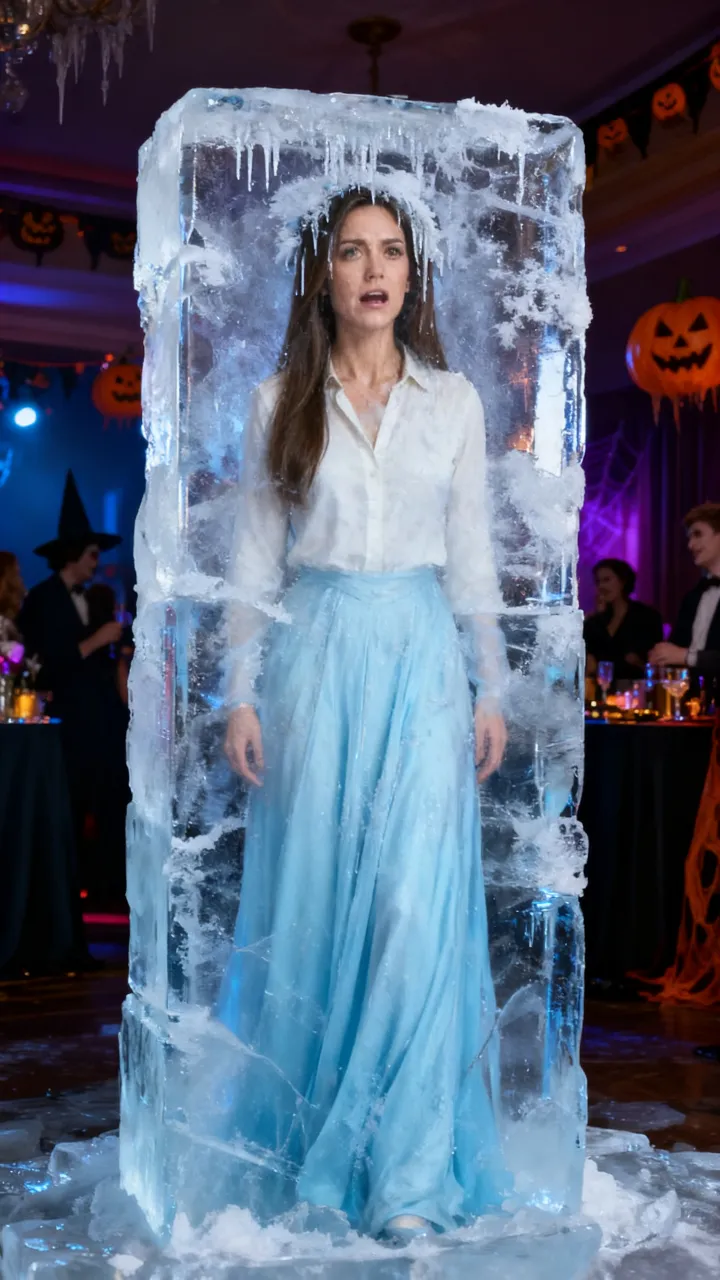
“I’m sorry I lied, I didn’t have the ice queen dress”
I am literally frozen inside a big clear block of ice at a Halloween party, face clearly visible through the ice, frost and icicles in my hair, shivering, wearing a light blue gown.
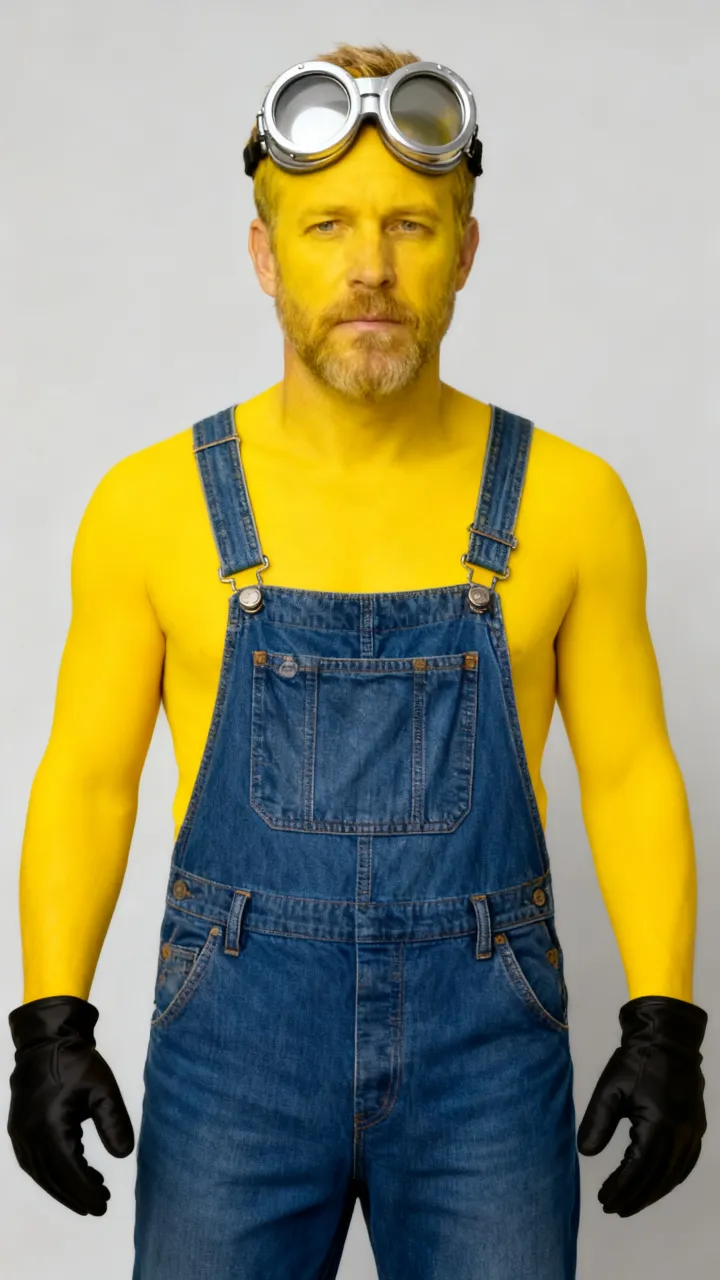
“I’m sorry I lied, I didn’t have the yellow helper costume”
I have literally turned bright yellow all over like a small yellow cartoon helper: bright yellow skin, big round silver goggles pushed up on my forehead, blue denim overalls.
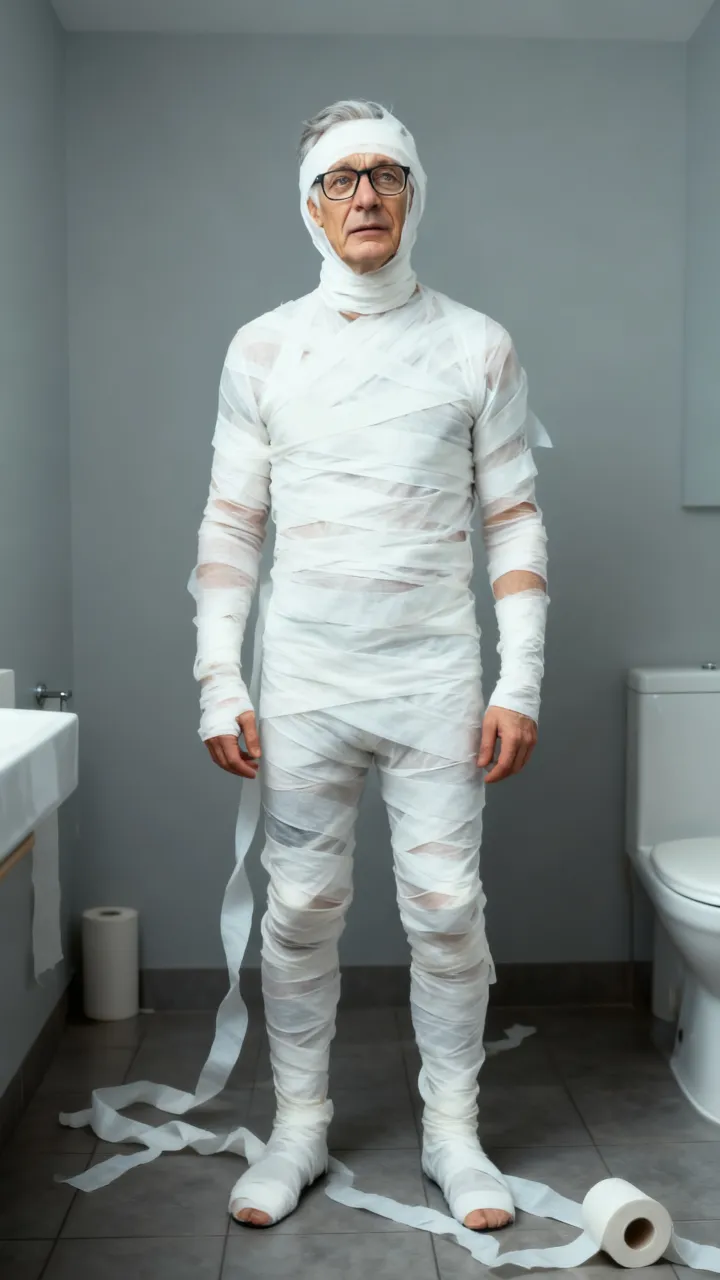
“I’m sorry I lied, I didn’t have the mummy costume”
I am literally wrapped head to toe in white toilet paper like a mummy, face uncovered and clearly visible, toilet paper trailing on a bathroom floor, confused expression.
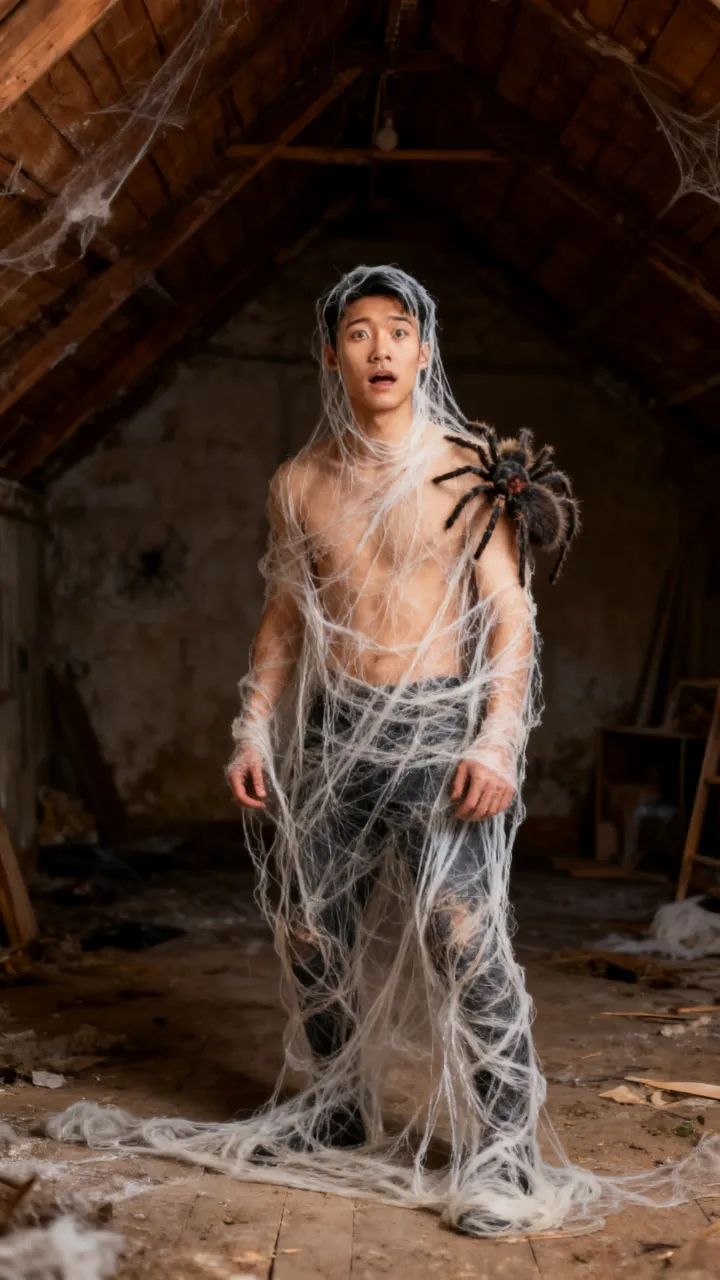
“I’m sorry I lied, I didn’t have the Spider-Man costume”
I am literally tangled in giant sticky spider webs from head to toe in a dusty attic, a big fuzzy spider sitting on my shoulder, face clearly visible and panicking.
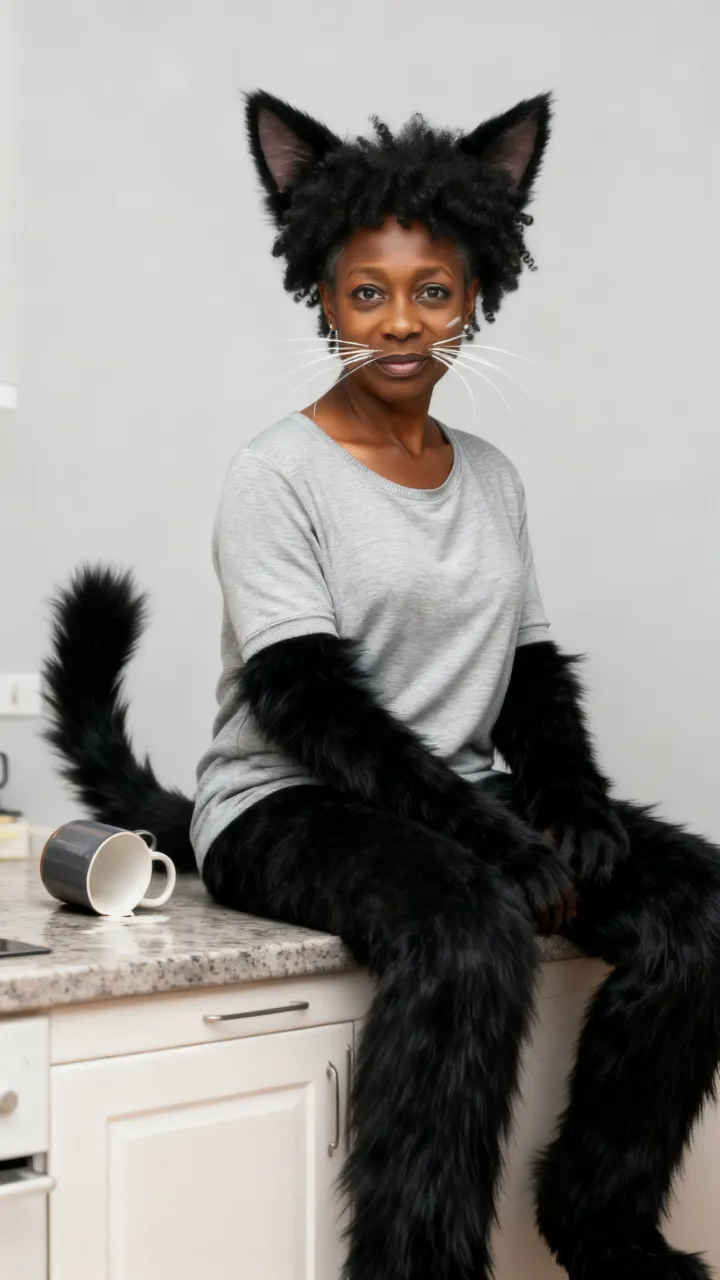
“I’m sorry I lied, I didn’t have the cat costume”
I have literally started turning into a black cat but my human face is still fully visible: real fluffy black cat ears, long white whiskers on my cheeks, black fur on my arms and a fluffy black tail, sitting on a kitchen counter next to a knocked-over mug.
ReelMuse vs the CapCut template
The i'm sorry i lied capcut template compares two pictures. The sorry i lied costume trend on this page is one picture of you as the thing. Want to actually wear a costume instead? Use the AI Halloween costume page.
Pick the sorry I lied AI trend when the joke is the transformation, not a split screen.
ReelMuse
CapCut template
What you upload
One photo of you.
Two photos, then a slideshow edit.
Result
You become the costume, and your face stays recognizable.
The costume you promised, next to what you really had.
Time
About a minute for one still.
You cut the slideshow yourself.
Price
Shown on the button before you create.
You edit it in the CapCut template.
Who makes this
ReelMuse makes the still from the photo you upload. The photo is used for that picture. Read the privacy policy and the terms.
FAQ
What is the sorry I lied AI trend?
The sorry I lied AI trend is a Halloween 2026 TikTok meme: the caption says you did not have the costume, and the photo shows you turned into it, like green skin for a green princess dress. ReelMuse makes that still from one selfie and one line.
How do I do the "I'm sorry I lied" Halloween trend without CapCut?
Upload one photo on this page, write "I didn't have the ___ costume", or tap an idea, then press Create. You get one still to post, and you add the caption on TikTok. That skips the i'm sorry i lied capcut template.
What should I write in the prompt?
Say what you turned into and keep it visible on you: "green skin and ogre ears", or "frozen in a block of ice". Your face stays recognisable either way. Tap Copy prompt on any example to start from it.
Is it a video or a photo?
A still photo, framed 9:16. Post it as a TikTok photo, or drop it into a slideshow. It is not a clip and it is not a costume you wear.
How much does the sorry I lied AI photo cost?
15 credits per photo, shown on the button before you create. If a photo fails, the credits go back to your account automatically.