Photo in. New energy out.
Skull Cap Trend AI.
Make the switch yours.
Turn your everyday portrait into the cap-and-hoodie mood switch. Check your character first, then create a 10-second vertical video.
Your creation
Skull Cap Trend AI Generator
- 01Add photo
- 02Review character
- 03Make video
We first create a bright-room portrait with the cap in your hands. You review the face before making the transformation.
Loading current prices…. Account and credits required.
Watch the mood switch
Real H3 example · 5s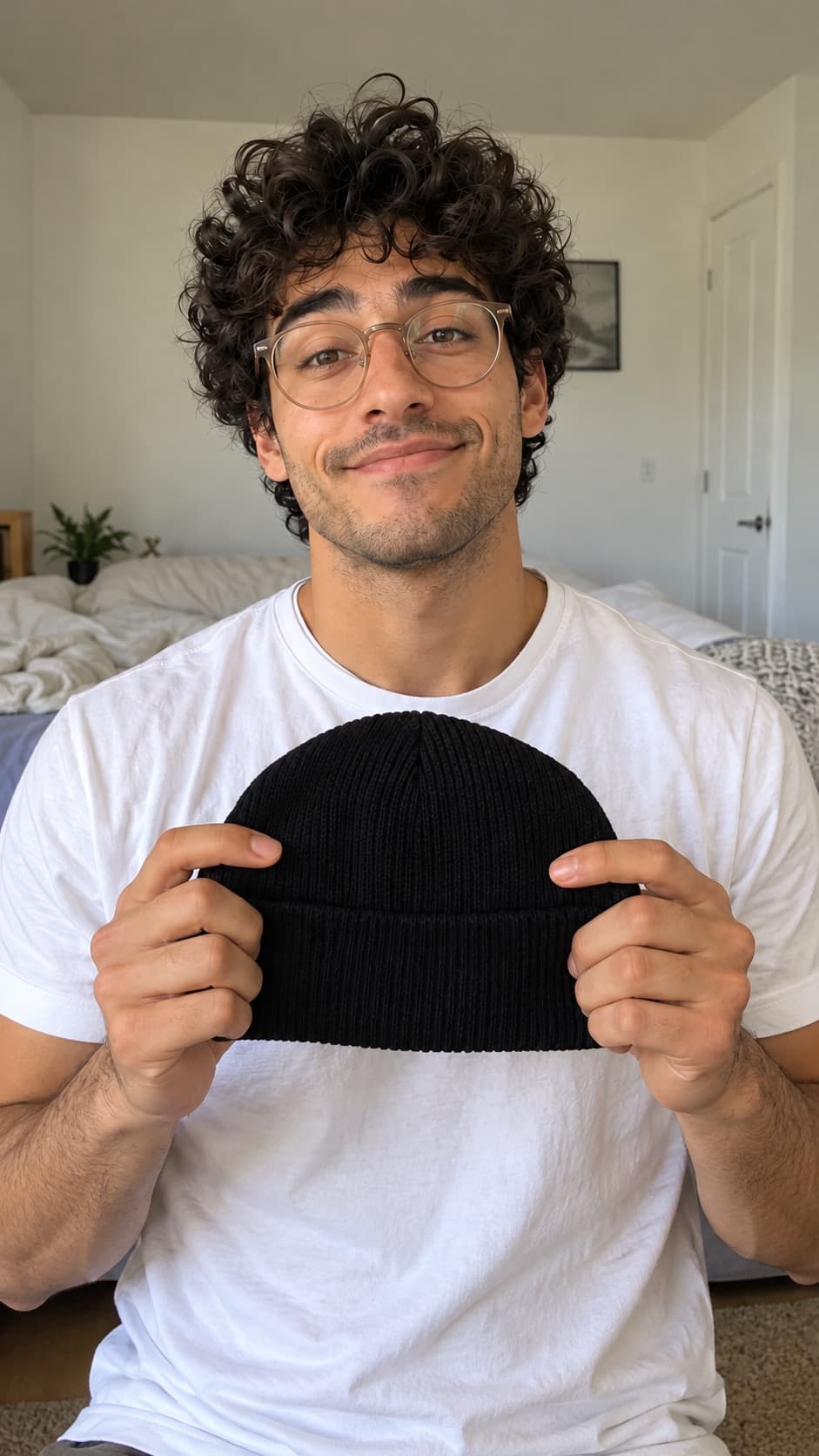
Starting character
From photo to MP4
How to make your skull cap trend video
- 01
Prepare your starting look
Upload one clear adult portrait. We use image editing to place the cap in your hands in a bright setting, ready for the change. The portrait price appears before you create it.
- 02
Choose the character you want to animate
Check the face, framing and starting pose. Select Use this character to continue. Reviewing a portrait does not automatically start or charge for a video.
- 03
Make the switch, then finish your edit
Confirm the separate video cost and generate your 10-second MiniMax H3 clip. Download it, review the transition and add your chosen sound in TikTok or your editor.
The idea behind the edit
What is the skull cap trend?
The joke is a sudden change in attitude. The same person goes from an awkward everyday look to an intense stare after putting on a black knit cap. A hoodie, darker room and sharp cut sell the transformation.
ReelMuse team · Updated
- Set up the contrast
- Bright room, everyday clothes, a shy expression and the cap in your hands. A clear face gives the model a useful starting point.
- Use one decisive change
- The prompt asks for a hand-over-lens cut near the middle. AI decides the final timing; review the actual result before syncing music.
- Hold the new look
- Black cap, hood up, cooler lighting and a steady serious stare. Keeping the camera angle similar helps the before-and-after read.
A better photo makes a better starting character
- Use one adult, facing the camera, with a visible face.
- Leave space around the head, shoulders and hands. A chest-up portrait works well.
- Pick even lighting and avoid heavy beauty filters or face coverings.
- You can start without a cap or hoodie. Check what the AI adds before making the video.
Anyone can try the look. This workflow follows the person in your photo rather than assigning a male or female character.
Finish with the skull cap trend song
Download your clip and open it in TikTok. Mute its original audio, choose Add sound and search for the skull cap trend sound or SoulReligion. Move the sound so the beat lands on your video's actual cut, then watch it once before posting.
The song is added separately in TikTok, subject to the sounds available to your account. Your generated video may include audio.
Looking for a skull cap filter?
You can make the edit from a still photo here. The skull cap AI creates new footage; you can then trim, caption or sync that footage in your usual editor.
Before you create
Skull Cap Trend AI questions
How the photo, preview and video steps fit together.
What does skull cap trend AI make?
It makes a photo-based version of the skull cap mood-switch video: an everyday, awkward starting look changes to a serious stare in a dark room, black knit cap and hoodie. ReelMuse prepares a starting portrait first so you can check it before making the video.
How do I make a skull cap trend video with my photo?
Upload a clear photo, confirm the portrait credit cost and generate your starting character. Review it and select Use this character. Then confirm the separate video cost to create a 10-second vertical clip with MiniMax H3. Download the result here or find it in My Creations.
Is this a skull cap filter or a CapCut template?
This is a skull cap AI generator that creates new footage from a photo. You do not need to record yourself wearing a cap. The downloaded video can be edited in CapCut or uploaded to TikTok.
Which skull cap trend song should I add?
Choose the trend sound available to your account inside TikTok using Add sound; you can search for skull cap or SoulReligion. ReelMuse does not supply the original song. Your generated clip may contain audio, so mute its original sound before adding music and align the beat with the actual transition.
Can women use the skull cap trend AI generator?
Yes. The workflow uses the adult in your photo and does not require selecting a gender. The same cap, hoodie and lighting change applies. Check the generated portrait before continuing to video.
Do I pay for the preview and the video separately?
Yes. Creating the starting portrait uses credits, and creating the video is a separate paid action. Each button shows its credit price. Viewing the example and reviewing your finished portrait do not start a video generation.
Do I need a hat, glasses or hoodie in the original photo?
A clear everyday portrait is enough. The image step prepares a cap in your hands, and the video prompt directs the outfit change. Use one consenting adult with a visible face and room around the head and shoulders.
Why is the sample shorter than my video?
The example is a real five-second MiniMax H3 clip made from a fictional AI character. Your ReelMuse video is requested at ten seconds. Likeness, movement, lighting and transition timing can vary, so review both your starting portrait and the finished video before sharing.
ReelMuse is independent of TikTok, CapCut, the trend's creators and its music owners. Use your own photo or an adult's photo with their permission. The example person is fictional and AI-generated.