TikTok anime eye trend
Anime Star Face AI
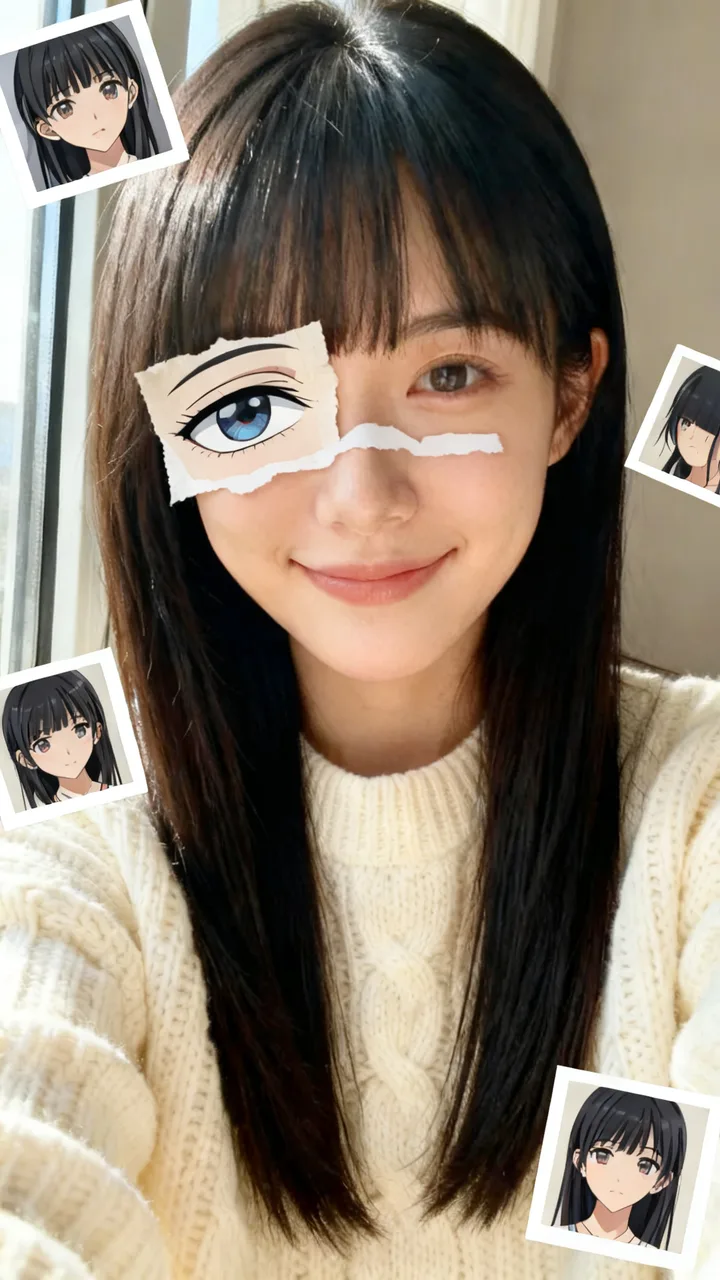
One selfie in, the anime star face out: a torn-paper anime eye over yours and anime lookalikes around it.
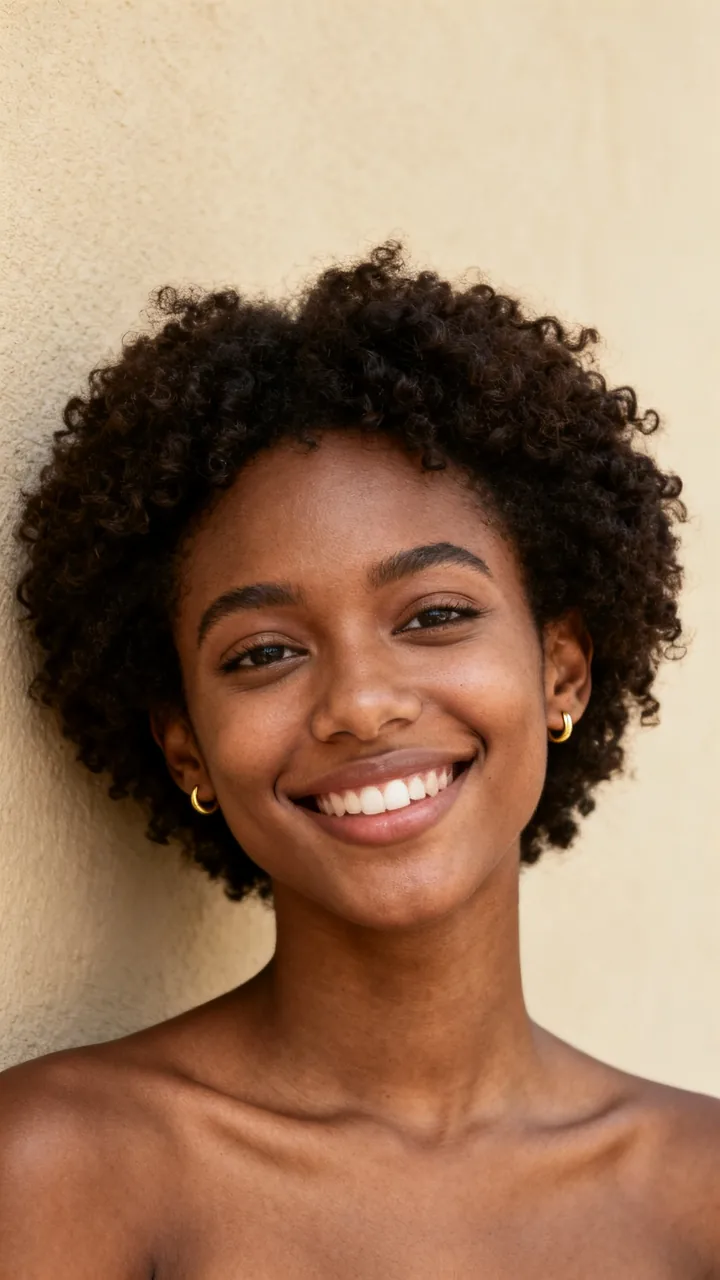
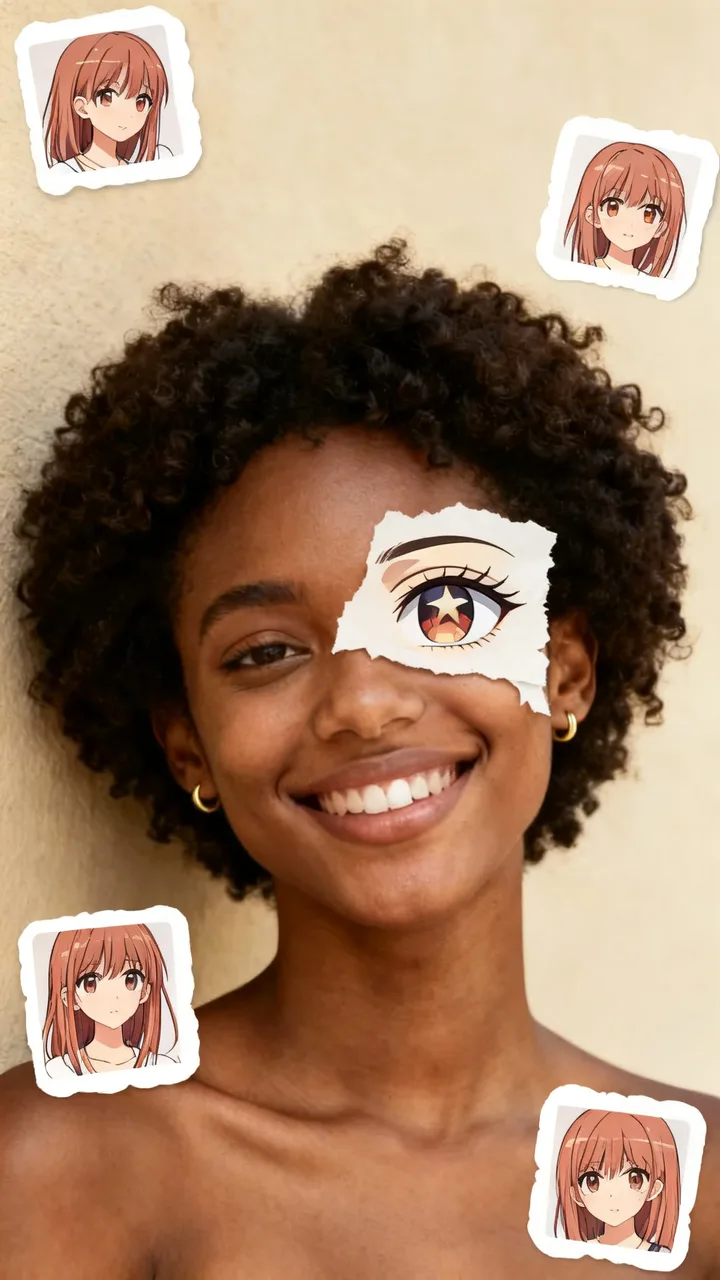
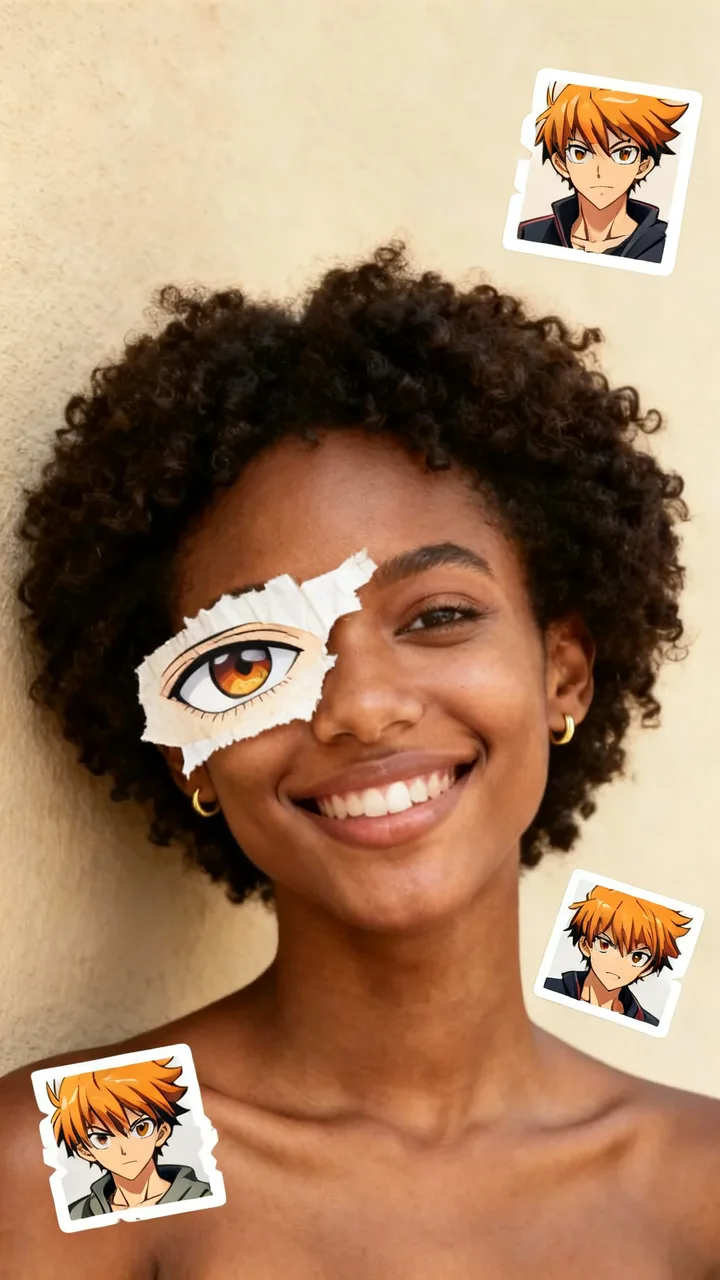
Your selfie and anime style
Anime styles · tap to use
One anime star face photo (9:16), usually under a minute. Upload only a photo you have the right to use. Failed photos are refunded.
Anime star face AI makes the anime eye collage everyone is posting on TikTok: your selfie stays a real photo, one eye is covered by a torn-paper cutout of an anime eye drawn to match yours, and three little stickers of anime characters who look like you sit around it. The trend spread through a CapCut template in late October, with tutorial posts passing a million views. Here you skip the template: upload one selfie, pick a style, and get the finished 9:16 photo in about a minute.
Anime star face examples
Each card is one anime star face made from the small selfie in its corner (fictional test faces). Tap Use this to put that style in the box, or Copy prompt to take it with you.
beforeStar eye
Sparkling star highlights in the anime eye
Turn my selfie into the anime star face: the anime eye has sparkling star-shaped highlights in the iris and long lashes, soft shoujo anime style.
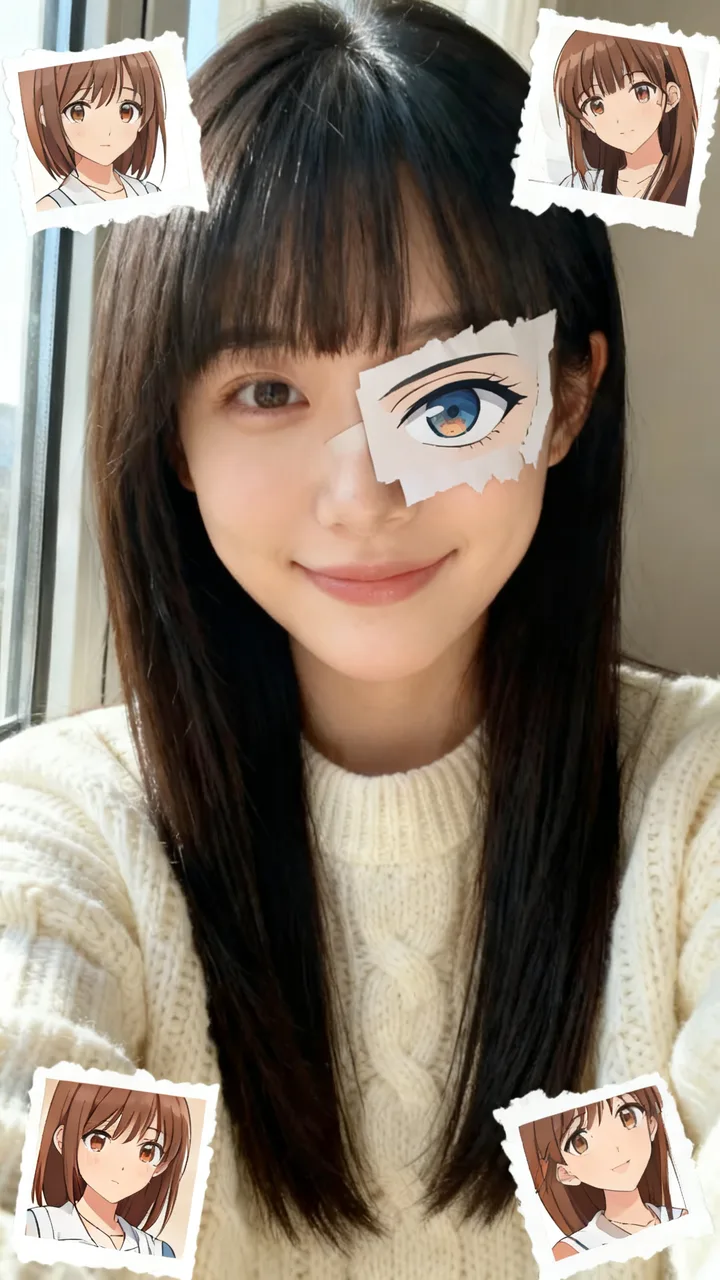
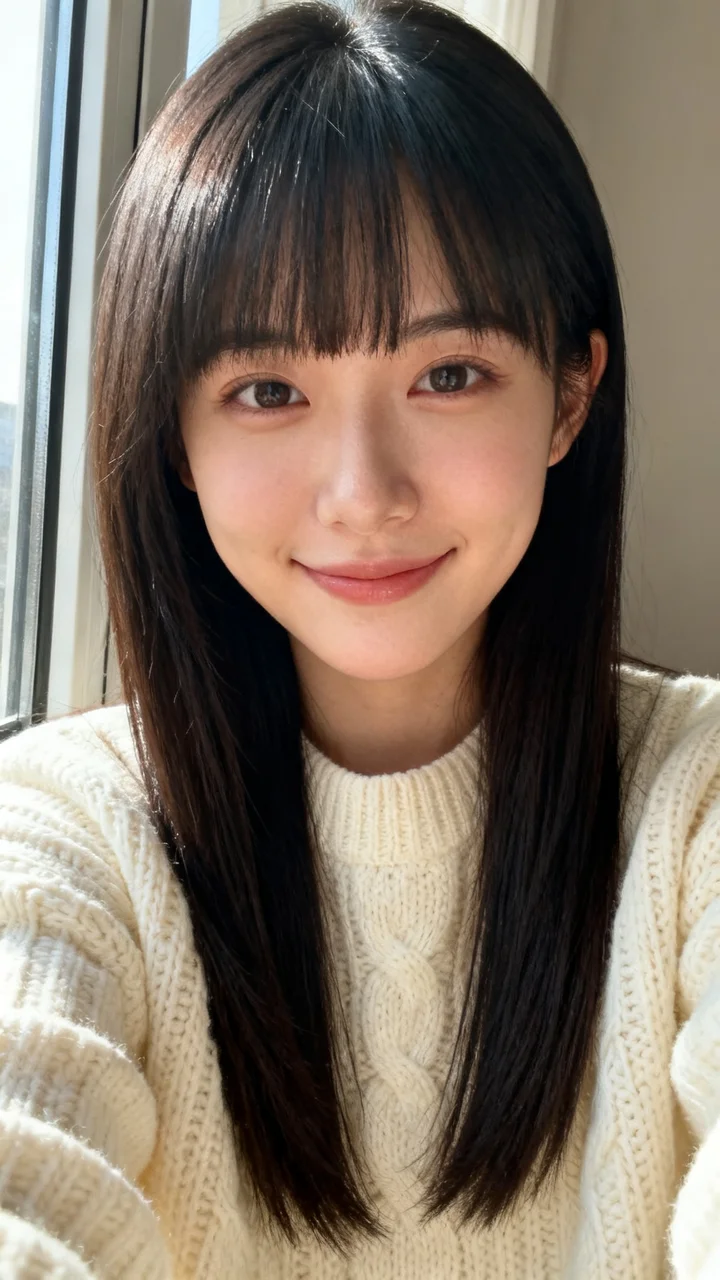 before
Shoujo
Big glossy eye, soft pastel stickers
Turn my selfie into the anime star face in soft shoujo style: a big glossy anime eye with gentle highlights, pastel-colored character stickers.
beforeShonen hero
Sharp, bold battle-anime eye
Turn my selfie into the anime star face in bold shonen battle-anime style: a sharp determined anime eye with strong ink lines, dramatic character stickers.
 before
Retro 90s
Hand-painted cel look with film grain
Turn my selfie into the anime star face with a retro 1990s twist: only the anime eye patch and the stickers are drawn in hand-painted 90s cel style, my photo stays a real photo.
What is the anime star eye trend?
The anime star eye trend started with a CapCut template that people use on their own selfies: the template finds an anime character who looks like you, cuts out that character's eye like a piece of torn paper and lays it over one of your eyes, then pins the characters around the photo as stickers. Posts are tagged anime star face, anime eye trend and anime star eye.
The anime star face AI page here makes the same picture without the template and without borrowing anyone's characters: the eye and the stickers are original anime drawings made to look like you. That is anime star face AI in one sentence: your real face, one anime eye, and your anime lookalikes.
How to make the anime star face
Step 1
Upload one clear selfie
Face the camera with both eyes visible and good light. Only use a photo you have the right to use.
Step 2
Pick an anime style
Tap Star eye, Shoujo, Shonen hero or Retro 90s, or describe the anime look you want in the box.
Step 3
Create and post
Press Create (15 credits). In about a minute you get one 9:16 anime star face photo, ready for TikTok or Instagram.
ReelMuse vs the CapCut template
Both give you the anime eye collage from your selfie. ReelMuse is not affiliated with CapCut or ByteDance.
ReelMuse
CapCut template
What you upload
One selfie.
A selfie, then you edit inside the CapCut template.
The anime look
Four styles to tap, or describe your own.
Whatever that one template does.
Characters
Original characters drawn to look like you.
Characters from existing anime.
Time
About a minute.
Find the template, then export from the app.
Price
15 credits, shown before you create.
Depends on the app and template.
More one-selfie AI filters on ReelMuse
Want to be a cartoon fruit instead? Try AI fruit drama. For face paint, use the La Catrina AI filter.
Who makes this
ReelMuse makes the anime star face from the selfie you upload. The photo is used for that picture. Read the privacy policy and the terms.
FAQ
What is the anime star face trend?
It is a CapCut template on TikTok: your selfie stays a real photo, one eye is covered by a torn-paper cutout of an anime eye that matches yours, and small stickers of anime characters who look like you sit around the picture. People post it as anime star face or anime star eye.
How do I make the anime star face without CapCut?
Upload one selfie on this page, pick an anime style and press Create. You get the finished collage as a photo, no template editing and no app download.
Are the anime characters from a real anime?
No. The TikTok template uses characters from existing shows; ReelMuse draws original anime characters that share your hair color and style, so the picture is yours to post.
What is the star eye version?
The Star eye style gives the anime eye sparkling star-shaped highlights in the iris, the look behind the anime star eye searches. The other styles change how the eye and stickers are drawn.
Is this the official CapCut template?
No. ReelMuse is not affiliated with CapCut or ByteDance. This page makes the same kind of collage from your selfie.
How much does it cost?
15 credits per photo. The price is on the button before you create, and if a photo fails the credits go back to your account automatically.