@user994223013949
CapCut: one man, one sword vs cavalry
CapCut battlefield AI trend
One photo in: you alone from behind, sword ready, as a whole army charges.

Armies · tap to use
One stand-off photo (9:16), usually under a minute. Upload only a photo you have the right to use. Failed photos are refunded.
One man against army AI turns one photo into a CapCut-style battlefield stand-off: you are seen from behind, holding a sword, while a wall of cavalry — or a legion, samurai army, viking horde, zombies or robots — fills the frame and charges. Tutorial accounts started pushing the CapCut Pioneer template around October 28, 2026. The wave is still small (about 102,000 tracked views), but posts jumped from 0 last week to 43 this week. Here you skip CapCut: upload one photo, pick a battlefield, and get a 9:16 still in about a minute. Want the clip? The Video tab adds a 6-second charge (usually about 6–9 minutes after the photo).
Each card is one stand-off photo made from the small selfie in its corner (fictional test faces). Tap Use this to put that battlefield in the box, or Copy prompt to take it with you.
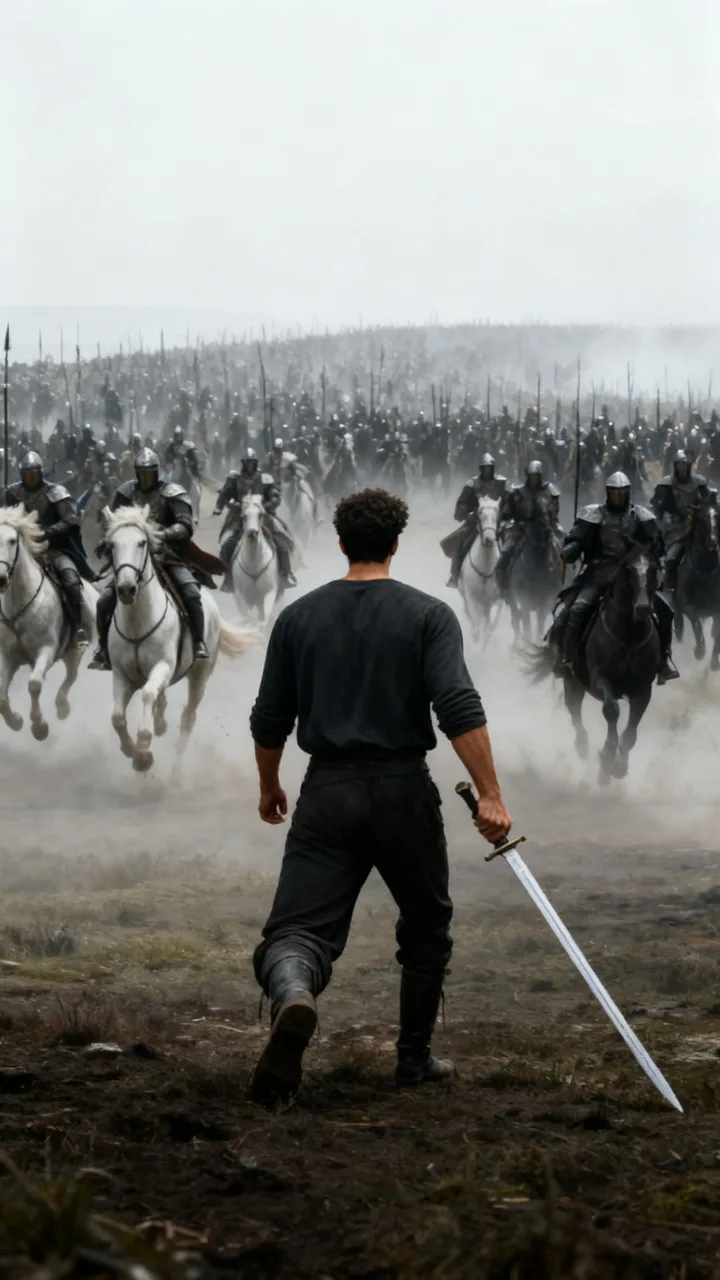
beforeCavalry charge
The template: alone against a thousand horses
Put me alone on a misty battlefield, seen from behind, from the knees up, my back in the middle of the photo, holding a long sword pointed at the ground: right in front of me a huge wall of armored riders on white and dark horses gallops head-on toward the camera, the horses facing me only a few meters away and filling the whole background, grey misty light, epic and cinematic.
 before
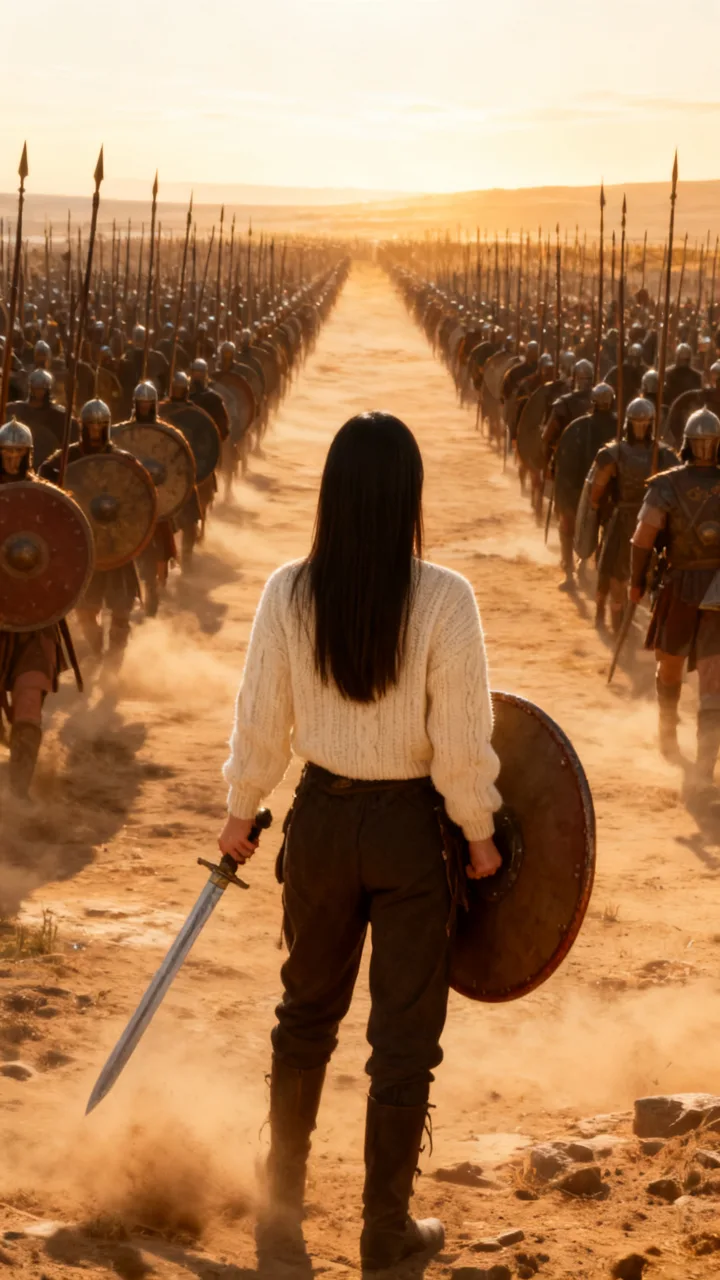
Ancient legion
Shields and spears as far as you can see
Put me alone on a dusty ancient battlefield, seen from behind, full body, holding a sword and a round shield: in front of me a huge legion of soldiers with shields and long spears marches toward me in tight rows that reach the horizon, golden late light, epic and cinematic.
 before
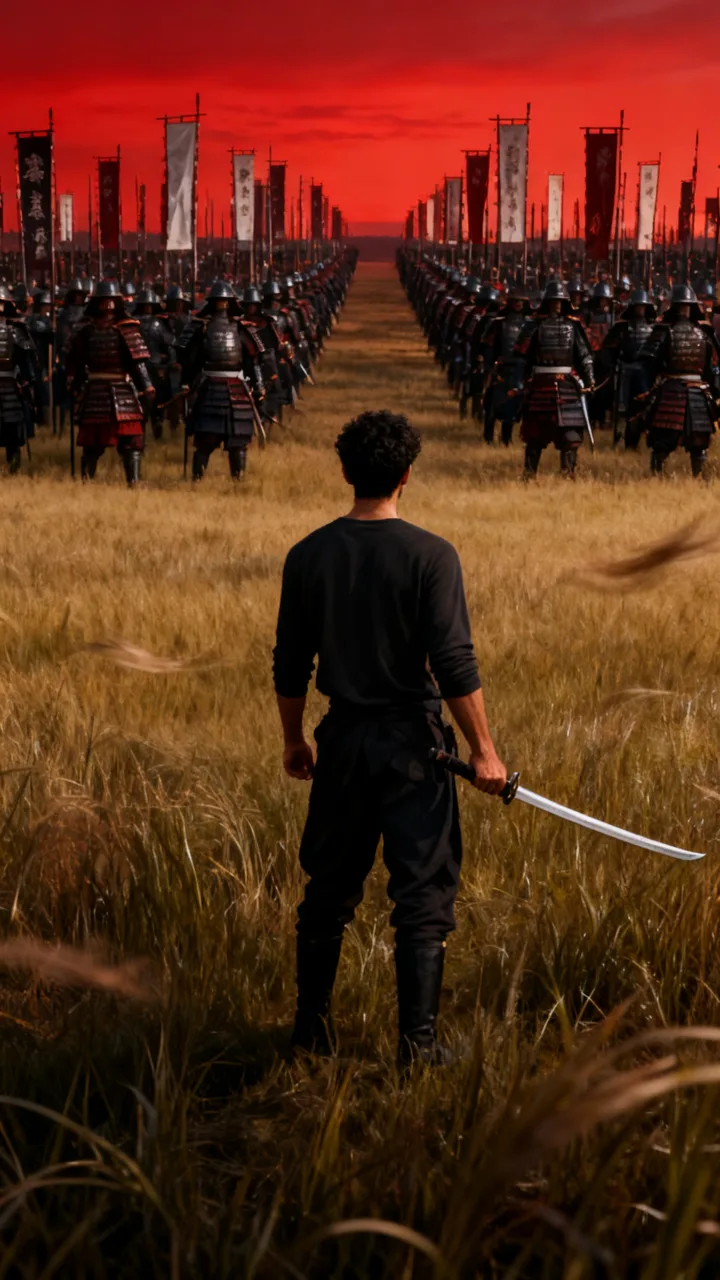
Samurai army
One sword against a thousand
Put me alone on a wide field of tall grass at dusk, seen from behind, full body, holding a katana: in front of me a huge army of armored samurai with tall banners stands in rows across the field, red sky, wind in the grass, epic and cinematic.
 before
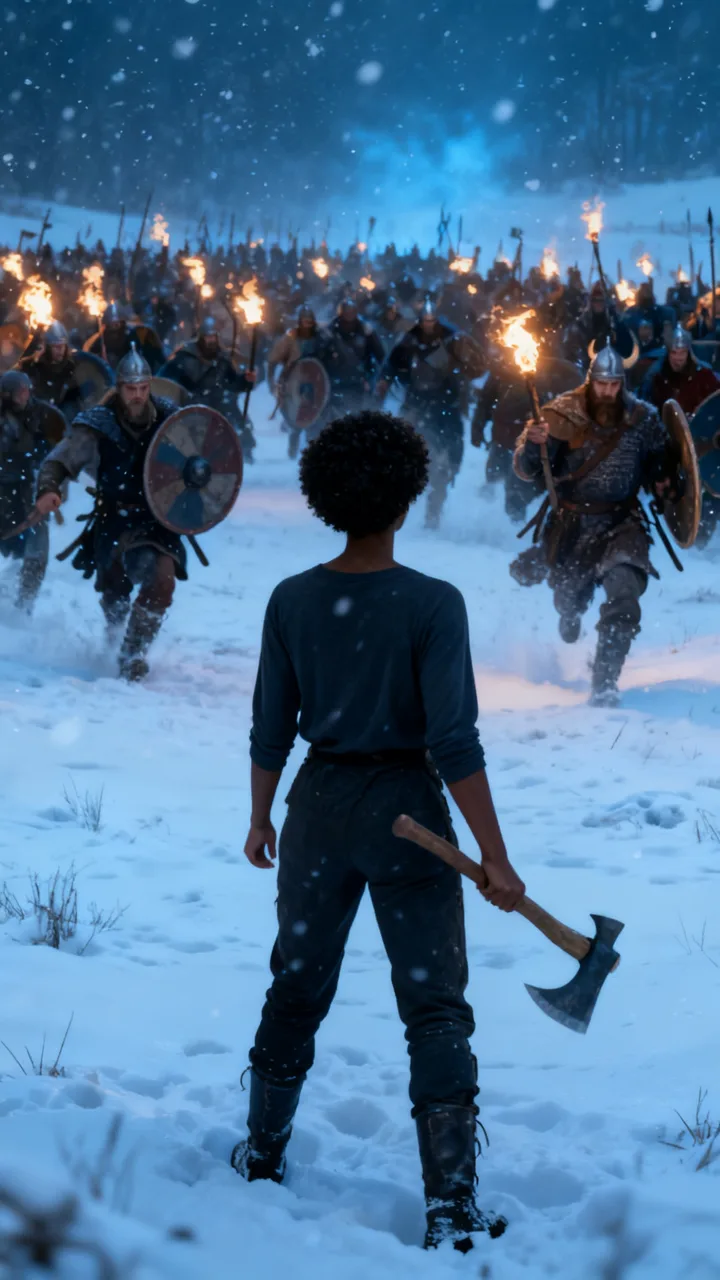
Snow and vikings
A frozen field and a horde of raiders
Put me alone on a snowy field, seen from behind, full body, holding an axe: in front of me a huge horde of viking warriors with round shields and torches charges through the falling snow, cold blue light, epic and cinematic.
 before
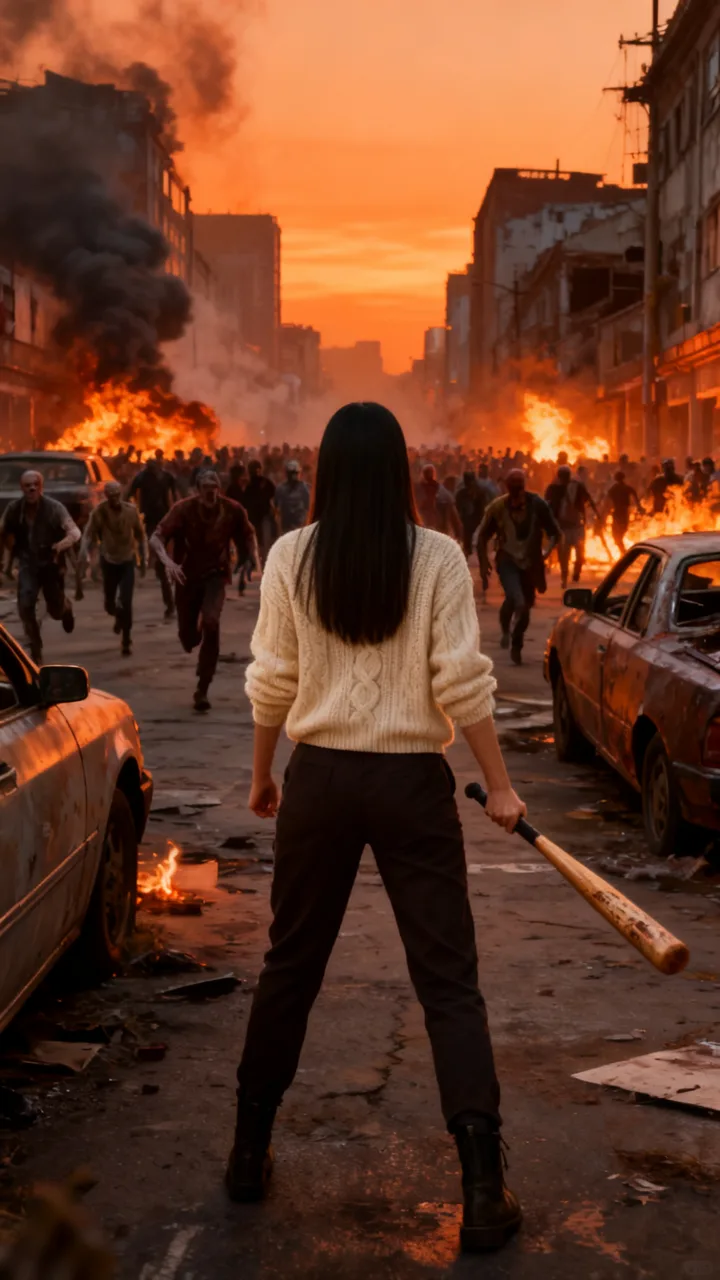
Zombie horde
One survivor, one city street
Put me alone in the middle of a ruined city street, seen from behind, full body, holding a baseball bat: in front of me a huge horde of zombies fills the street and runs toward me, smoke and burning cars, orange evening light, cinematic.
 before
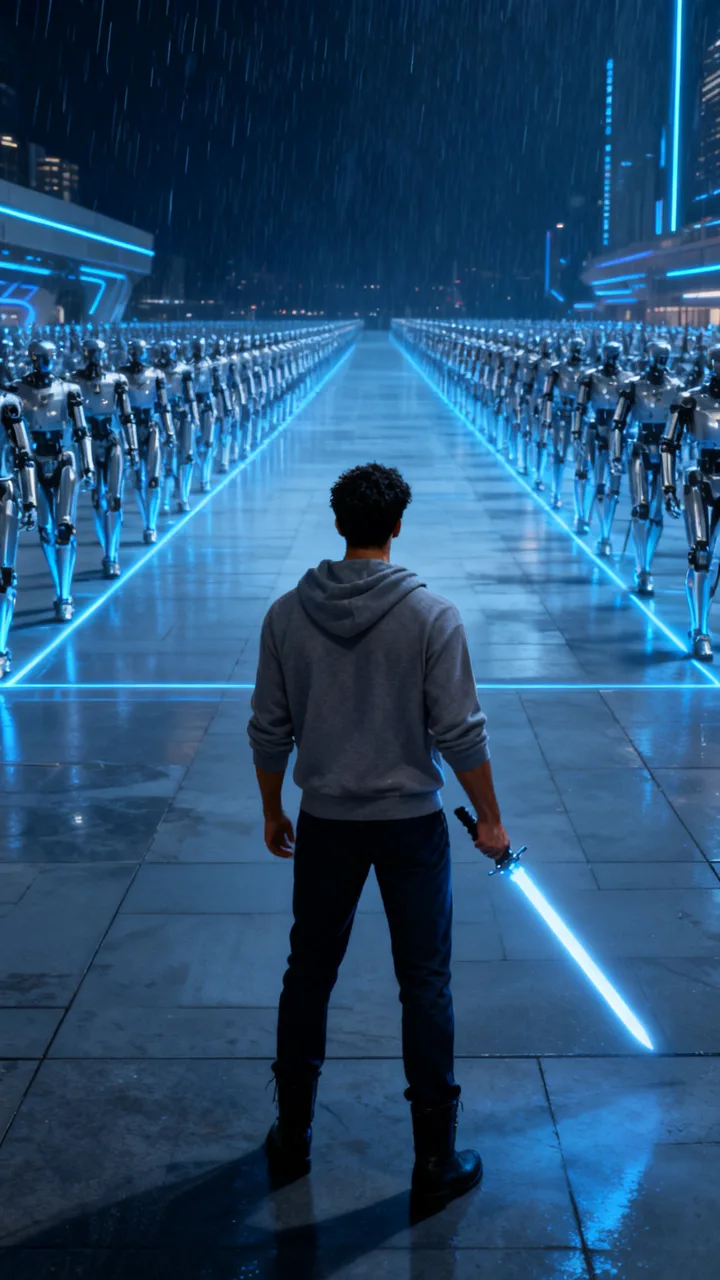
Robot army
Alone against the machines
Put me alone on a wide futuristic plaza at night, seen from behind, full body, holding a glowing energy sword: in front of me thousands of identical silver robots march toward me in perfect rows, blue neon light and rain, cinematic.
Examples from TikTok
Three real CapCut AI battlefield tutorials. Not made with ReelMuse.
Clips belong to their creators and link back to TikTok. The one man against army AI page above makes the look from your own photo.
A CapCut Pioneer template packages the lone-hero fantasy: one photo becomes a back-view sword stand-off as an army charges. This week there are 43 posts versus 0 last week; the wave took off on October 28, 2026. The AI posts we track sit near 102,000 views — still a small volume compared with million-view trends, but clearly rising.
The top CapCut post, by @user994223013949, has about 63,000 views with a one-photo “one man, one sword vs cavalry” how-to. Sister CapCut tutorials (including @rubyselah3 and @aiai888i) show the same hook: upload a photo, generate the battlefield, post the charge.
TikTok numbers from public posts, as of November 1, 2026.
It is a one-photo CapCut AI template: you add a portrait and get back yourself alone on a misty battlefield, usually seen from behind with a sword pointed at the ground, while armored riders or infantry fill the whole background and charge. Creators share CapCut Pioneer walkthroughs with captions about “one man, one sword” against thousands of troops.
The filter on this page does the same job without the template app. You choose the army: six looks are ready to tap, from a cavalry charge to a robot plaza, and you can describe any other stand-off in the box. Photo or Video charge — that is one man against army AI in one place.
Lone-hero war movies and games have always sold the image of one fighter facing a wall of enemies. In late October 2026, CapCut Pioneer AI templates turned that frame into a one-photo effect: upload yourself, and the clip places you from behind against a charging army — often white and dark horses in grey mist — then pushes the camera in as you raise the sword.
Vietnamese and regional CapCut tutorial accounts pushed the template first. The filter here rebuilds that shot from your own photo: a still of the stand-off, or a 6-second charge that starts on the photo and ends with you facing the army alone.
Comment threads on these CapCut tutorials are still thin — the wave is early:
“làm hộ ạ”
1 like, on the 63K CapCut tutorial. Vietnamese for “make this for me.”
Most posts have almost no discussion yet. On ReelMuse the steps are on this page: one photo, pick a battlefield, Create.
Step 1
A full-body or waist-up shot works best so hair, build and clothes carry the likeness from behind. Only use a photo you have the right to use.
Step 2
Tap Cavalry charge, Ancient legion, Samurai army, Vikings, Zombie horde or Robot army, or describe your own stand-off in the box.
Step 3
Press Create for a 9:16 stand-off photo (15 credits, about a minute), or switch to Video for the photo plus a 6-second army charge (95 credits total; the video step usually finishes about 6–9 minutes after the photo).
Both give you a back-view sword-vs-army look from your photo. The difference is how much you get to choose. ReelMuse is not affiliated with CapCut or ByteDance.
ReelMuse
CapCut template
What you upload
One photo.
A photo, then you edit inside the CapCut template.
The battlefield
Six scenes to tap, or describe your own.
Whatever that one template does.
Video
Video tab: a 6-second army charge from the stand-off photo.
The template’s own clip.
Time
About a minute for the photo; about 6–9 minutes more for the video step.
Find the template, then export from the app.
Price
15 credits for photo, 95 with video — shown before you create.
Depends on the app and template.
Want a New Year pull-back instead? Try goodbye 2026 welcome 2027 AI. Prefer a space-to-street zoom? Use the earth zoom AI trend page.
ReelMuse makes the stand-off photo and charge video from the photo you upload. The photo is used for that picture and clip. Read the privacy policy and the terms.
It is a CapCut AI template on TikTok: you upload one photo and get a cinematic back-view shot of yourself alone with a sword (or another weapon) as a whole army charges toward you. Creators post it as one man against army, one man against thousands, or CapCut Pioneer battlefield tutorials.
Upload one photo on this page, tap a battlefield look (or write your own), and press Create. The Photo tab gives a finished 9:16 stand-off. The Video tab adds a 6-second charge where the army closes in and you raise your weapon.
No. ReelMuse is not affiliated with CapCut or ByteDance. This page is our own AI filter for the same back-view sword-vs-army idea from your photo.
Both. Photo makes one 9:16 stand-off still (you alone, seen from behind, army filling the background). Video makes that photo first, then a 6-second shot where the army charges and you raise your sword, like the CapCut template.
The stand-off photo is usually ready in about a minute. The Video tab runs the photo first, then the 6-second charge; that video step usually finishes about 6–9 minutes after the photo.
Yes. The shot is from behind, so hair, skin tone, body shape and the clothes from your photo carry the likeness. Use a clear full-body or waist-up photo for the best match.
15 credits per photo, or 95 credits for the photo plus the charge video. The price is on the button before you create, and if a step fails its credits go back to your account automatically.